Chapter I: Out of the Breach is out now! Back in July we gave you a first look at the Goblins, the Goblin Breach, and Hytale's first handcrafted dungeon. Since that time, many of you have been playing some of these features alongside us in our pre-releases, and your reports shaped a lot of what you are about to play. Today it all arrives in Exploration Mode!
Here is what's waiting for you.
HEADS UP! We did our best to not spoil too much within this blog post while still giving a general overview of what everyone can expect from our first Chapter. Before the dungeon & boss fight section, there is an obvious 'Spoilers Ahead!' image, just in case anyone wanted to enter that experience completely blind.
It Starts at the Forgotten Temple...
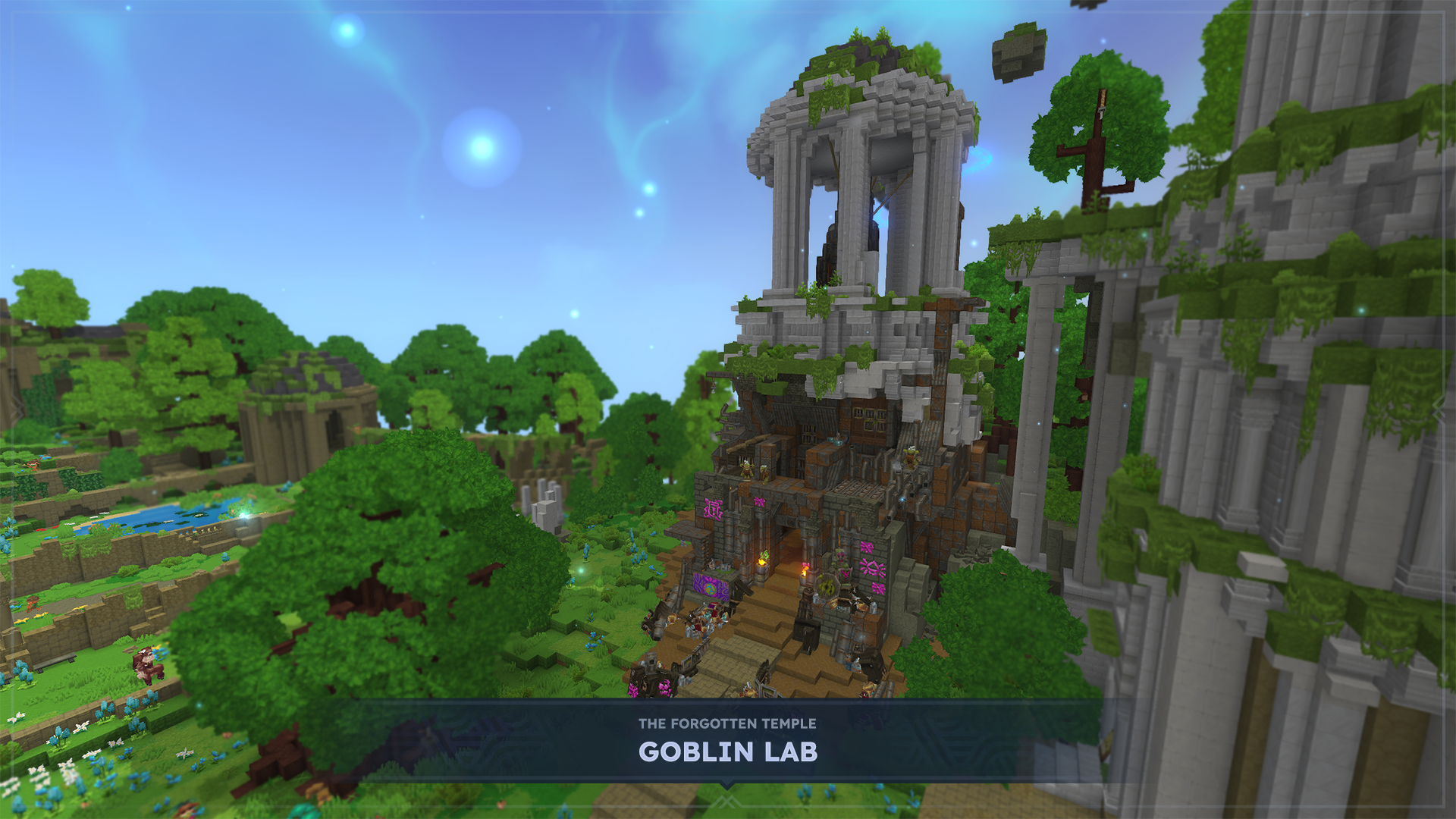
Whether you are playing on an existing Exploration Mode world save or starting a brand new one, players will sense something stirring at the Forgotten Temple. Head there and explore the new Goblin Lab to begin unlocking Chapter I's content.
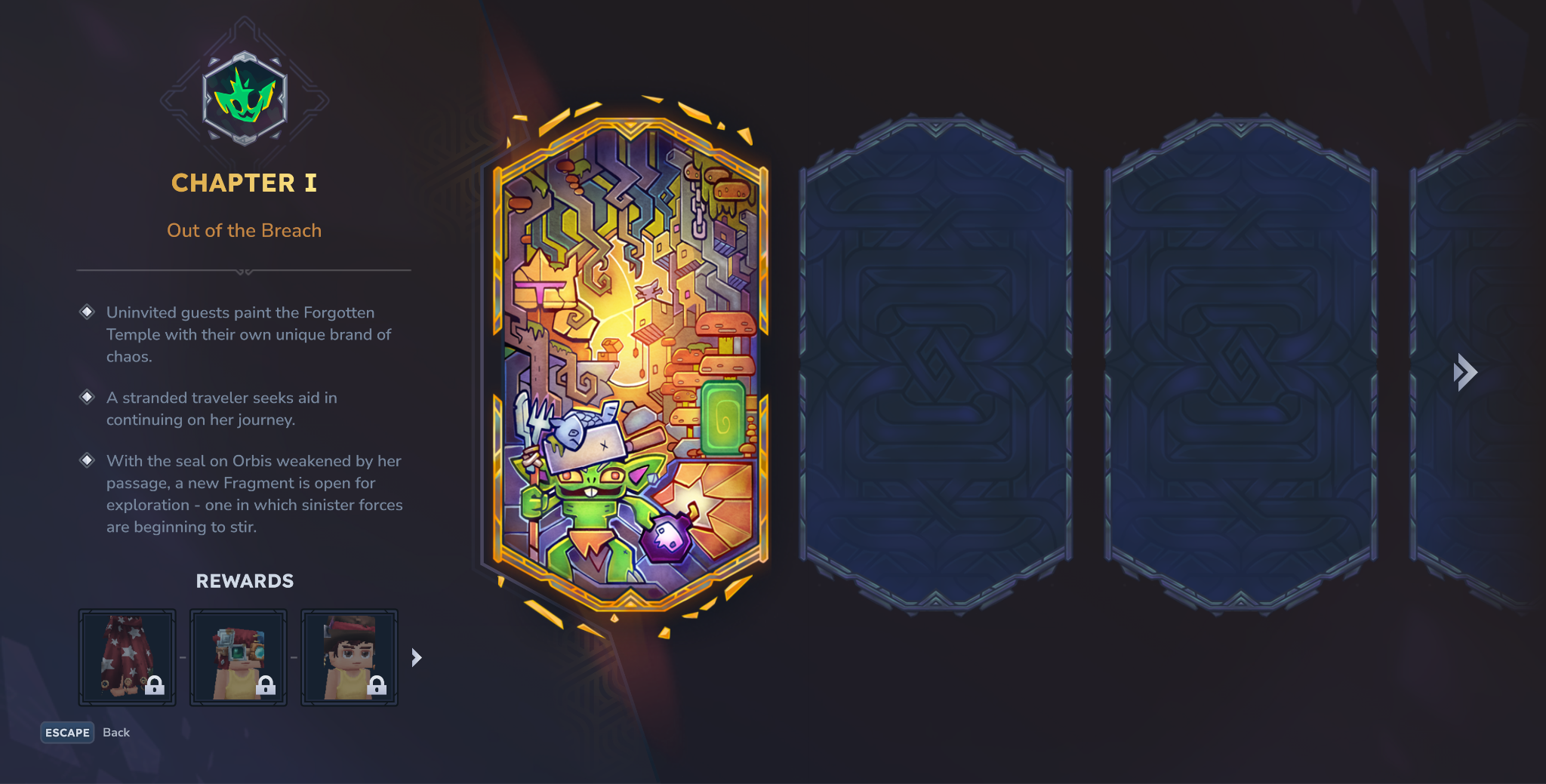
A new Chapter screen clearly lays out your objectives, so you always know what to chase next and what you'll unlock once completing it.
The Goblin Breach
Once the chapter opens, a temporary portal will appear in the world. It arrives with some force, so watch out! Step through and you’ll find an unstable fragment of Orbis that the goblins have claimed with the Void pressing in around the edges. The space regenerates each time you enter, and the Void will eventually push you out. The pressure is on to get what you need before time runs out. That said, you can earn more time by fighting back the void and upgrading the Goblin Breach Console found within the Goblin Lab.
New Biome: The Guttering Hollows
Inside you’ll run into predators you can track and trap, Void assassins, treasure chests that spring enemy waves on you, and puzzles. Hunts on the far side of a breach need a Voidheart, and hunt sites now have their own icon on the world map. Bear in mind that we have built this space so we can keep adding to it over time!
Here you will run into majority of the new goblin faction who have been completely revamped, with plenty of shapes, sizes, and tenacious personalities. Some more dangerous than others.
And not every goblin wants a fight! Goblins are wary of the Void's presence and will run from Void creatures unless they have enough friends nearby.
Scrappy Goblin Gadgets
The goblins brought their toys with them. Admittedly, they are quite scrappy, but this is definitely intentional.
- The Scrap Drill chews through a 2x2 patch of blocks at once.
- The Scrap Glider lets you take to the skies, dive, and climb while keeping your momentum when its deployed. (Although, mind your Stamina, or the landing gets interesting!)
- Rocket Boots give you a double jump.
- The Hookshot and its Hook Anchors let you zip across points of the world with ease.
- The Spyglass zooms in on whatever is happening in the distance.
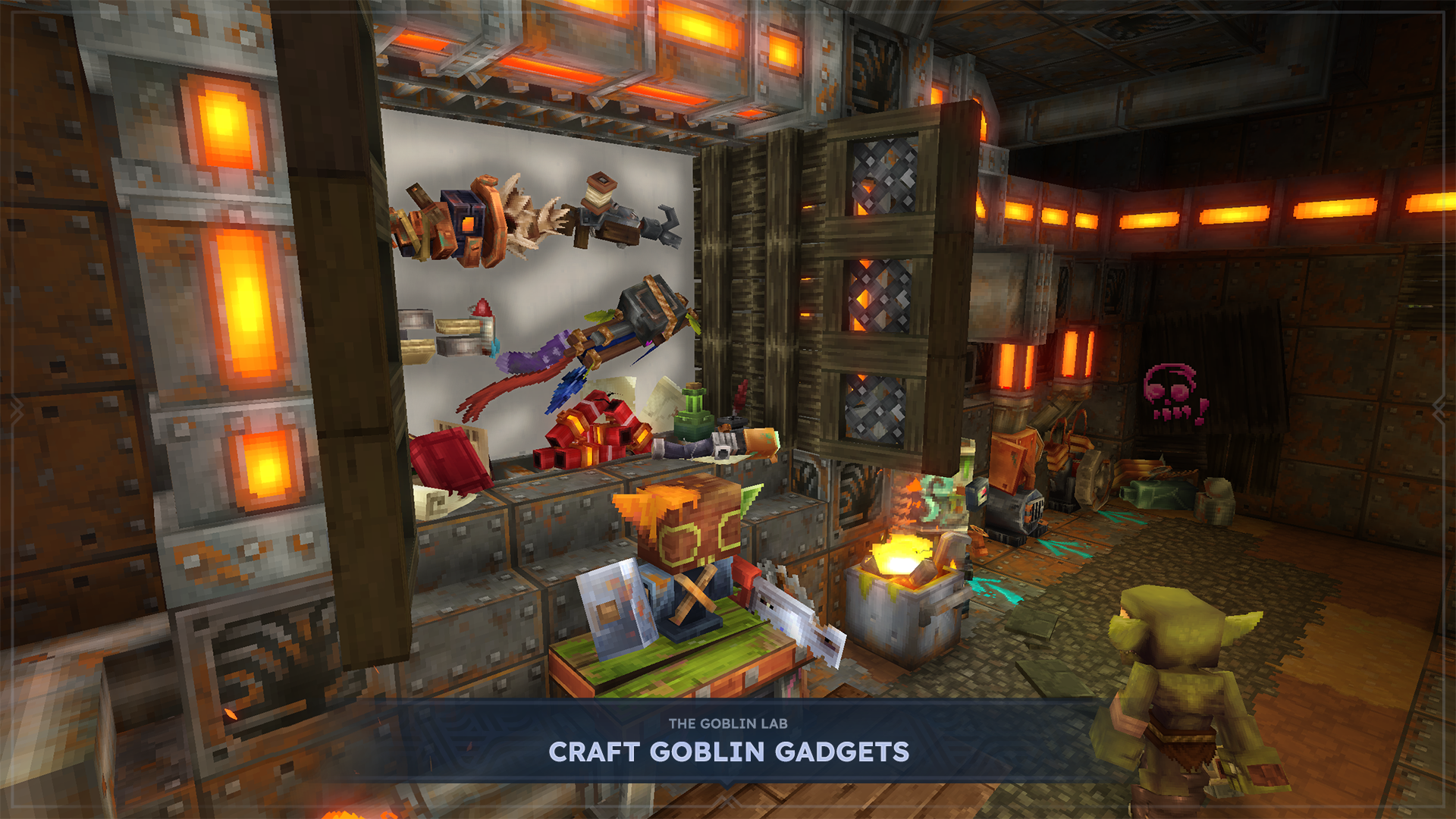
Players can also craft the Bangstick which is... well, a stick that goes 'bang!'
Lastly, make repairs to items without lowering maximum durability with the new Goblin Repair Kit.
Runestones and Abilities
Chapter I: Out of the Breach introduces a new ability system built on Runestones. Collect them, then slot them into a Runebinder’s Lattice to shape how you fight. Avatars can now equip up to two Ability Runestones, and attach Modifier Runestones to change how they behave.
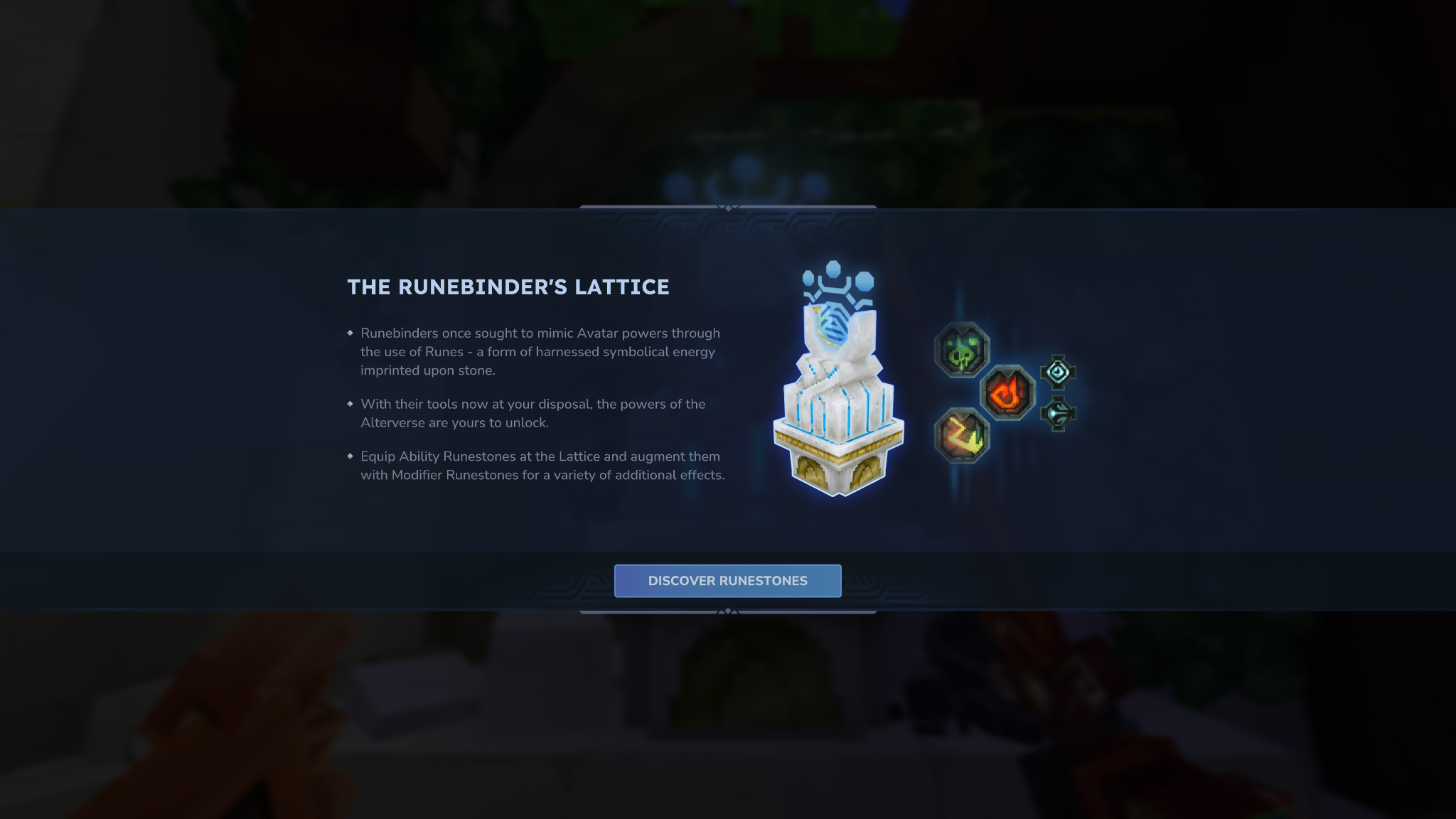
Abilities cost mana, which regenerates on its own over time, and landing your weapon’s signature ability on an enemy gives a boost.
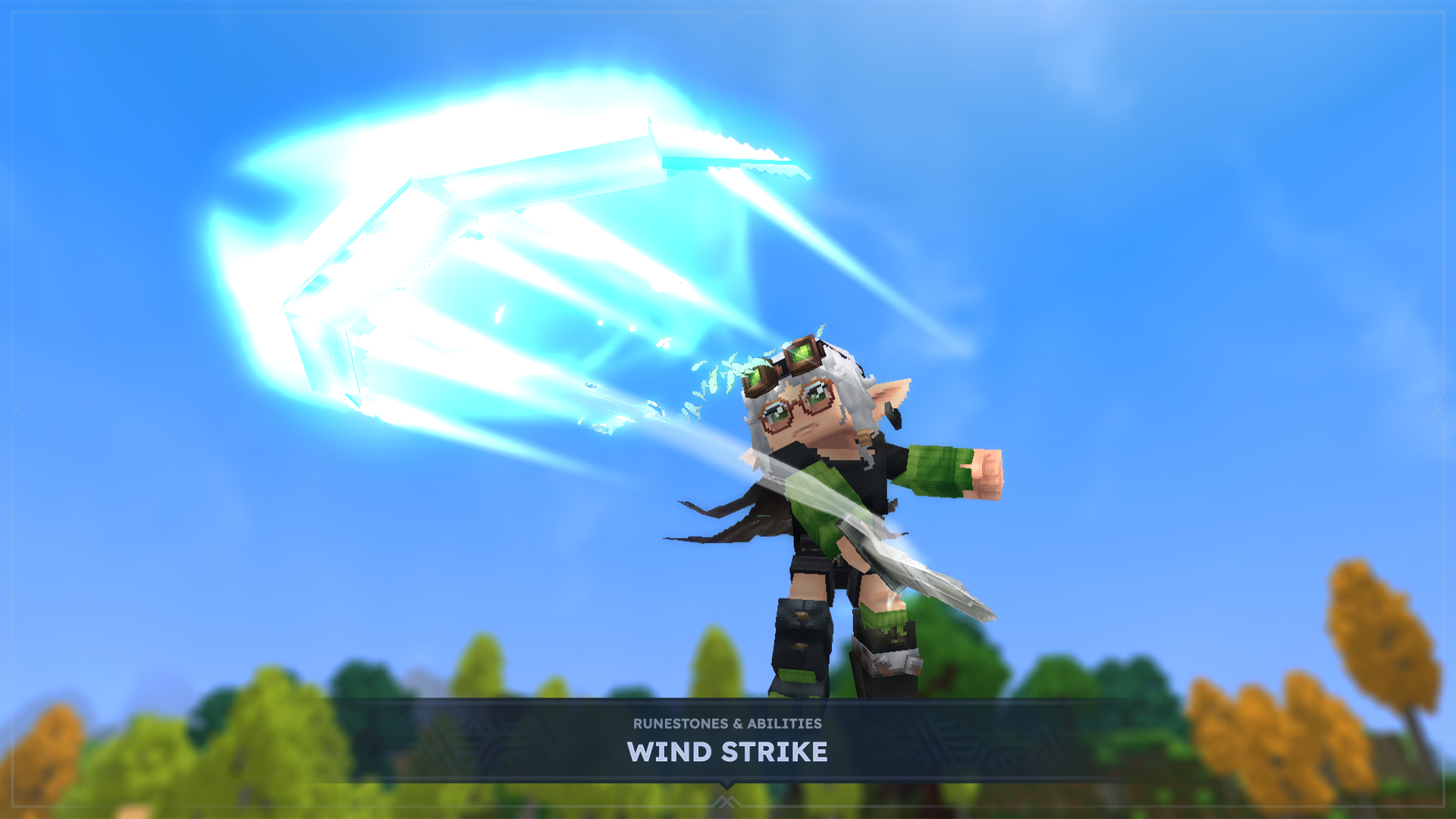
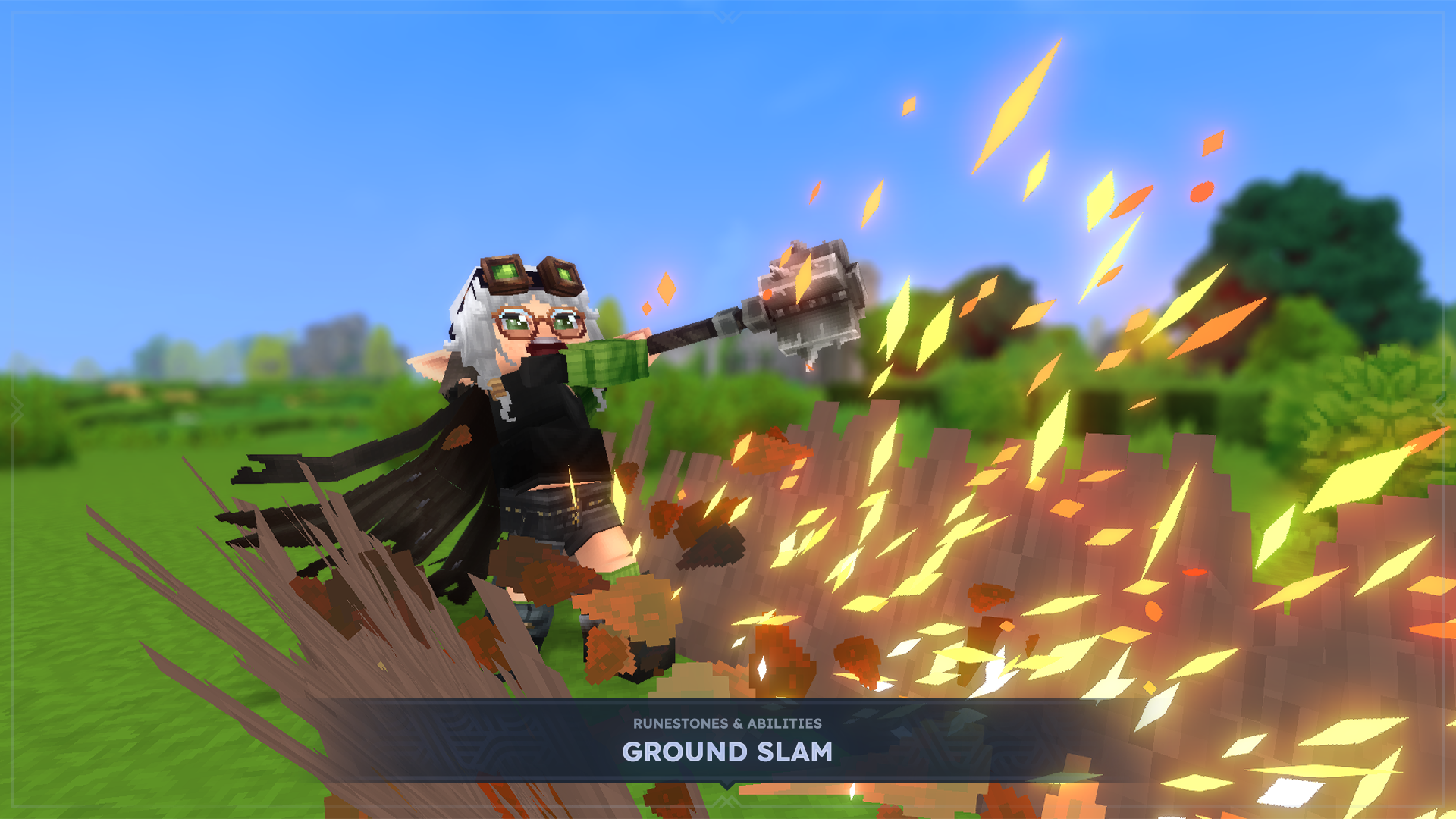
At launch there are seven Ability Runestones, including Fireball, Ground Slam, Wind Strike, Enrage, Imbue Poison, Chain Hook, and Charged Shot, and eight Modifier Runestones that do things like split a projectile into several, make it bounce between enemies, add a withering or bleeding effect, or trade damage for a faster cooldown. This is only the introduction.
We are very excited to see the builds and combos that emerge from this system!
ENTER THE DEEPWORKS

All of the Chapter I content and progression culminates in Hytale’s first handcrafted dungeon and multi-phase boss fight.
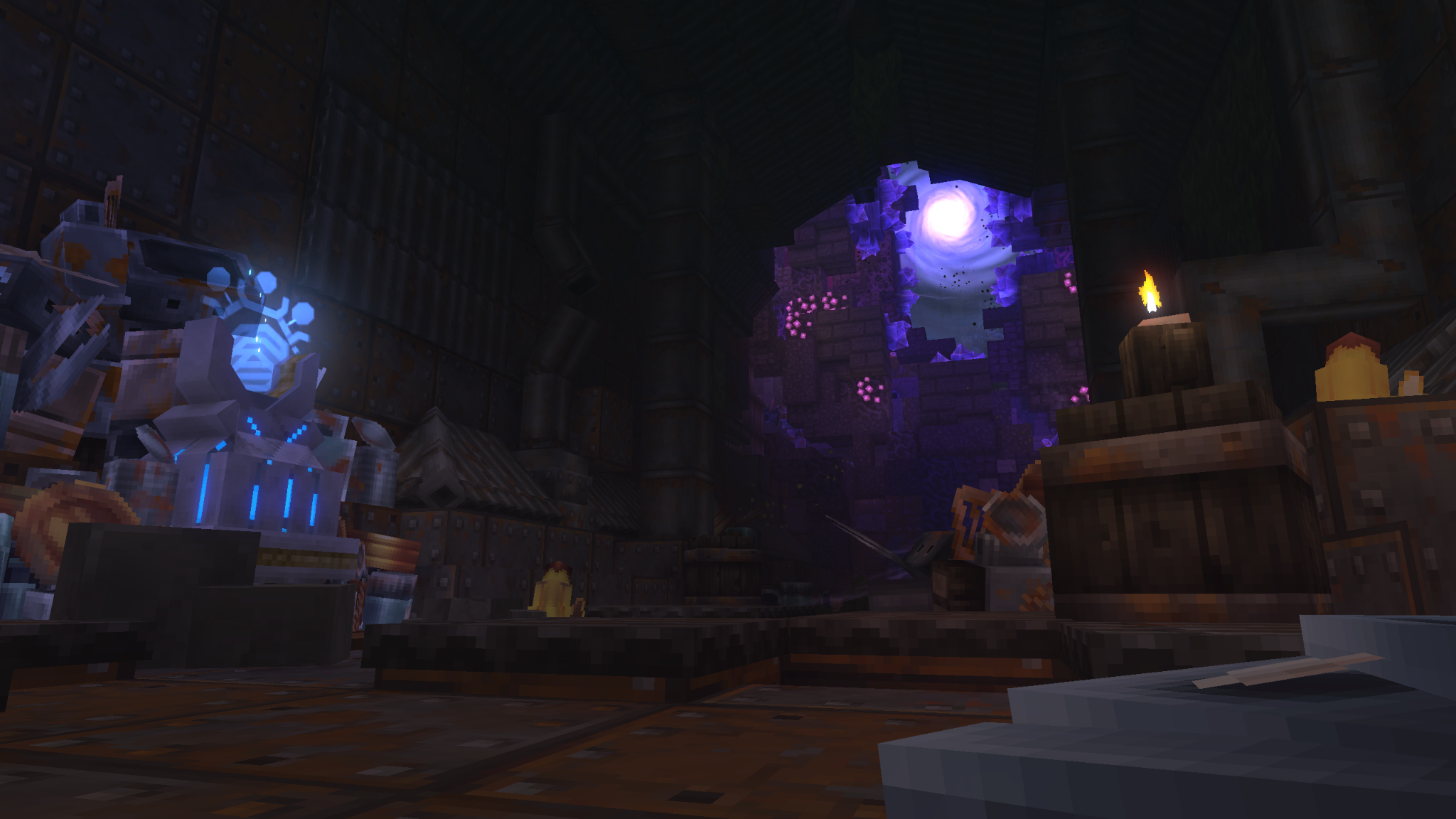
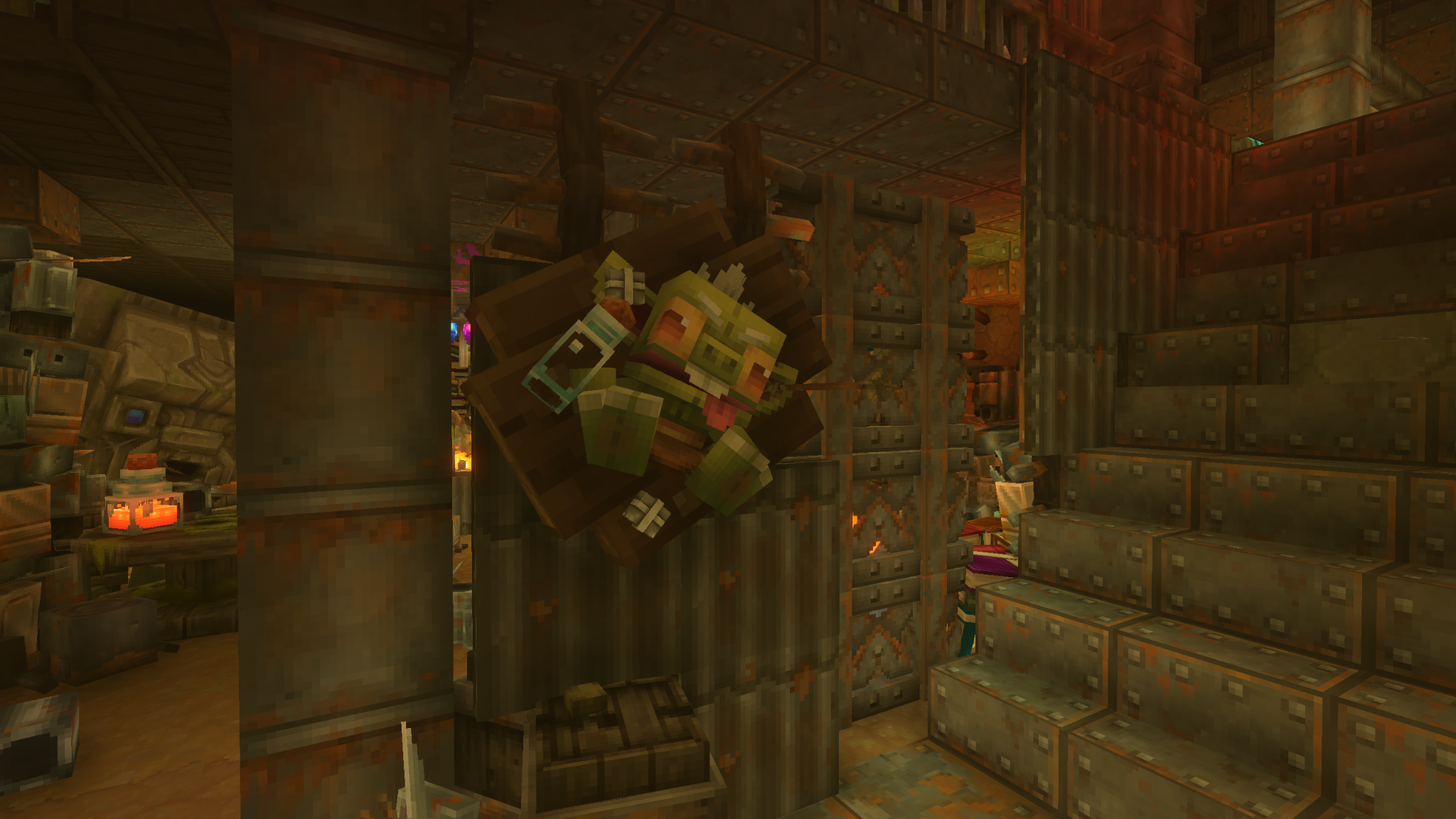 Traverse winding rooms, each one introducing new challenges. Battle through hordes of Goblins, navigate obstacles where you must dodge flames and falling debris, solve puzzles, survive the Elite Goblin Feastmaster, and activating checkpoints along the way.
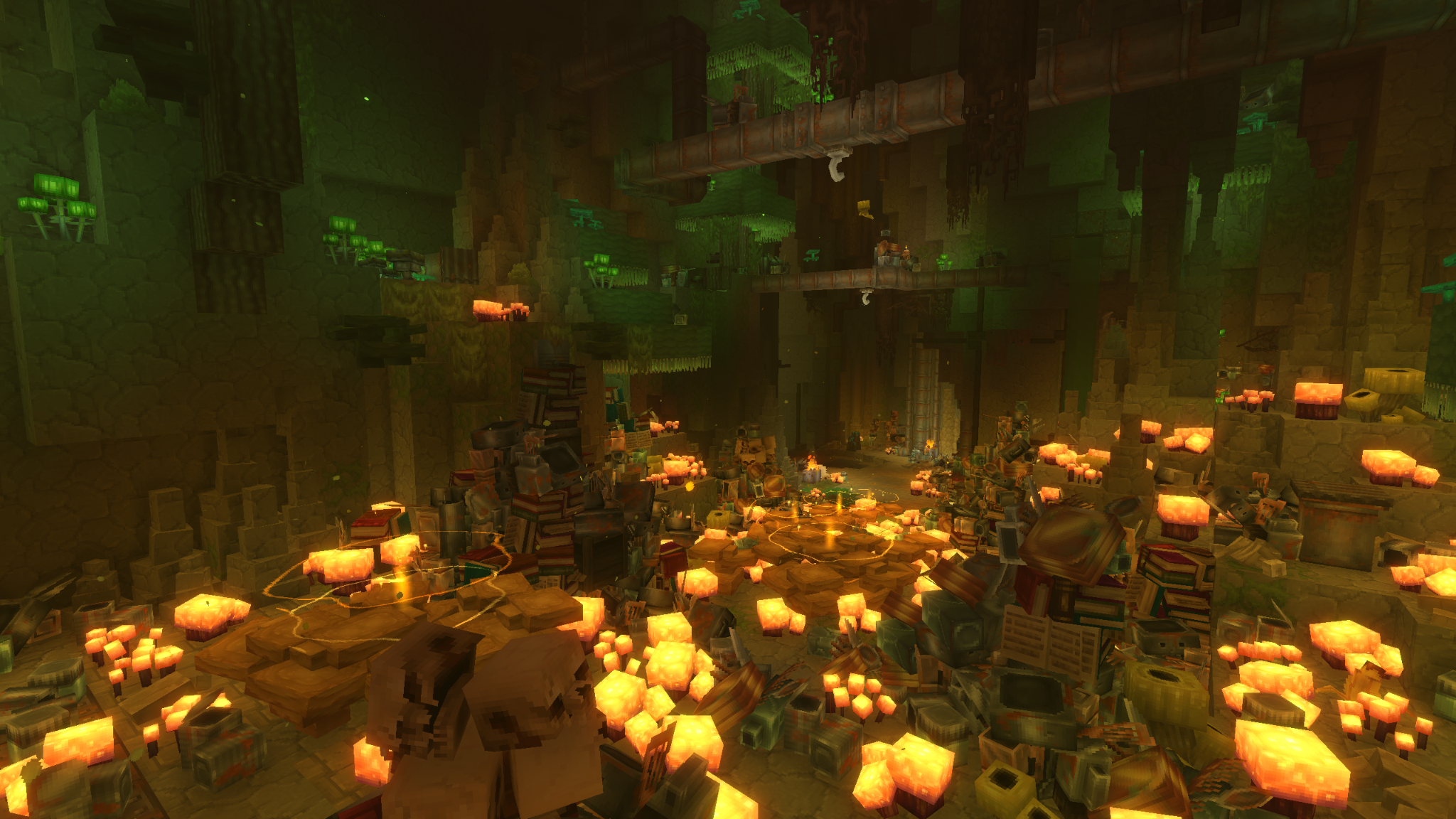
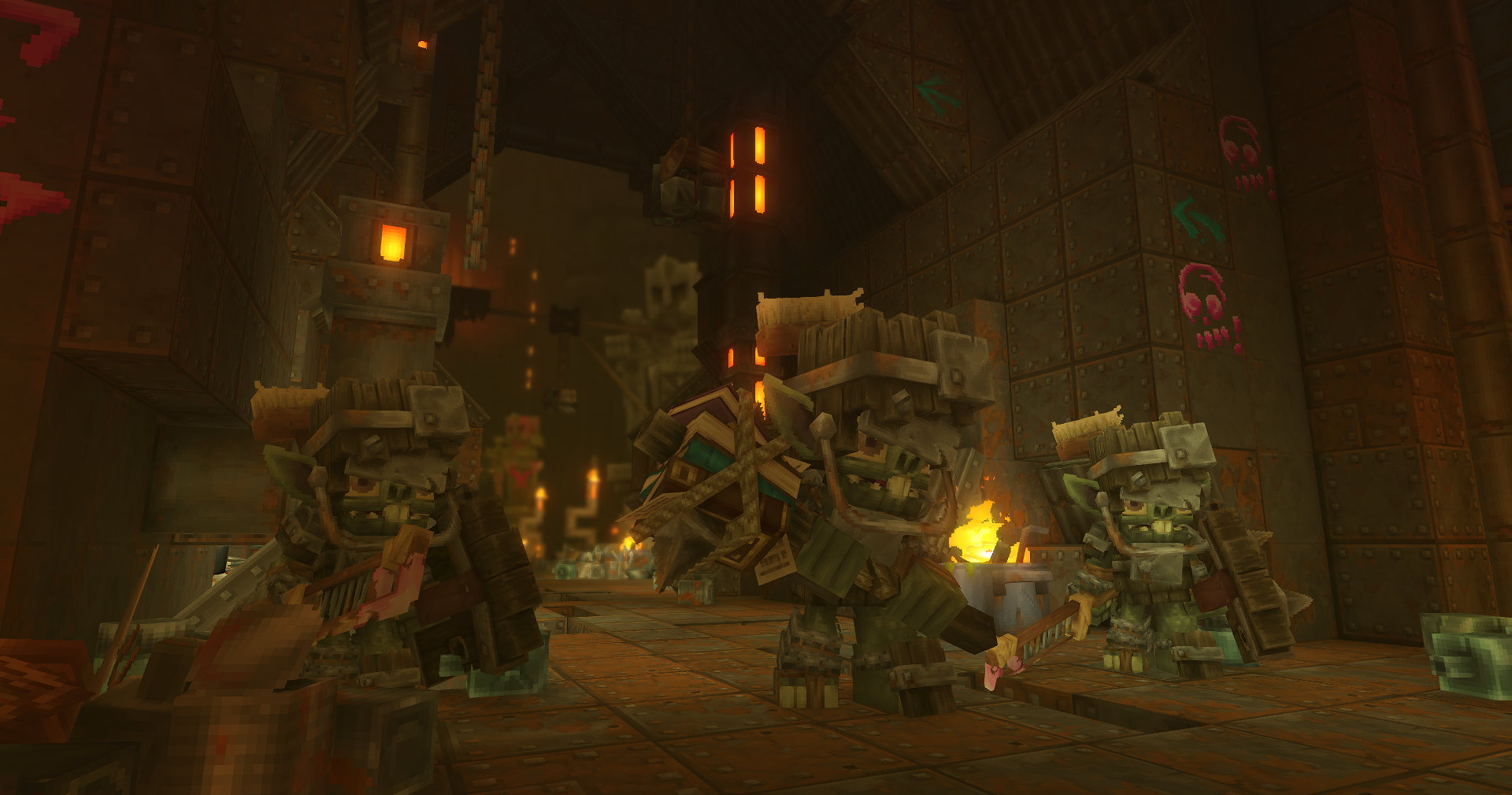
THE FEASTMASTER BLOCKS YOUR PATH!
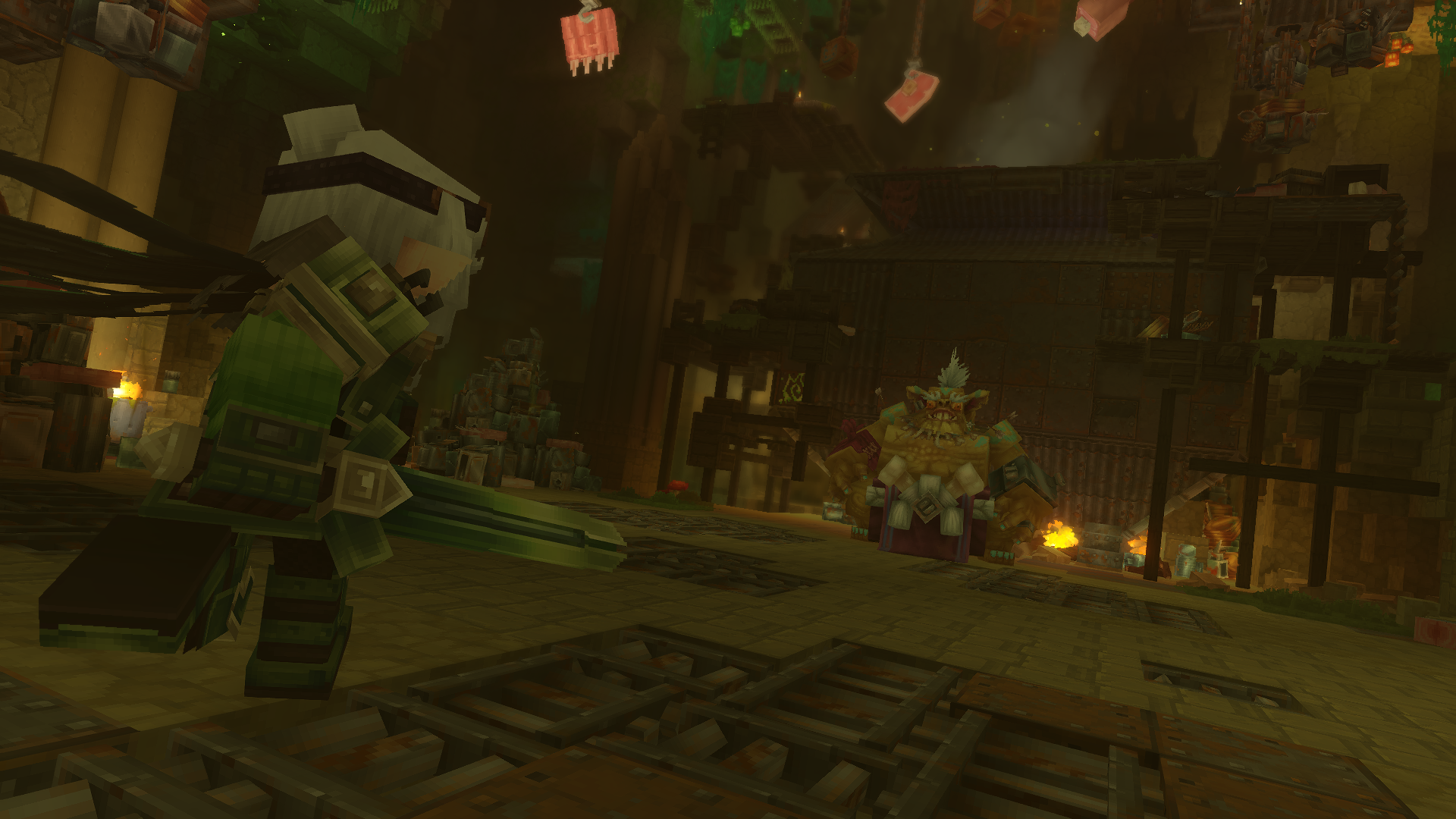
As you carve your path through the heaps of scrap and junk, you will come head-to-head with the first boss Feastmaster. Don't let appearances fool you, though! He's more nimble than he looks...
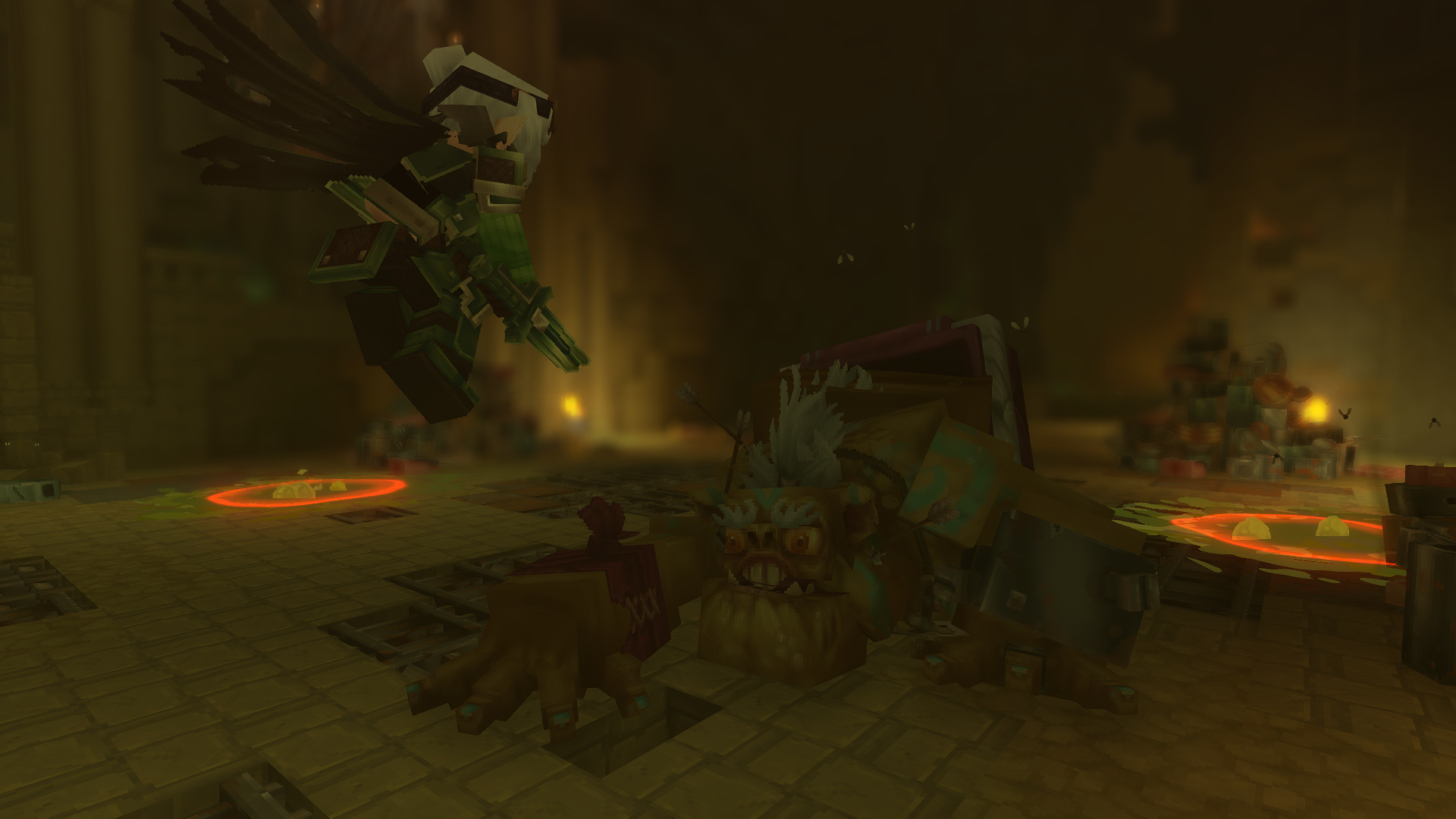
FACE THE GOBLITERATOR
At the end of the dungeon awaits the formidable Gobliterator, Hytale's first major, multi-phase boss fight! Make sure you are prepared before heading in. This won't be easy.
Here's a taste of what to expect as you confront both the Feastmaster and Gobliterator!
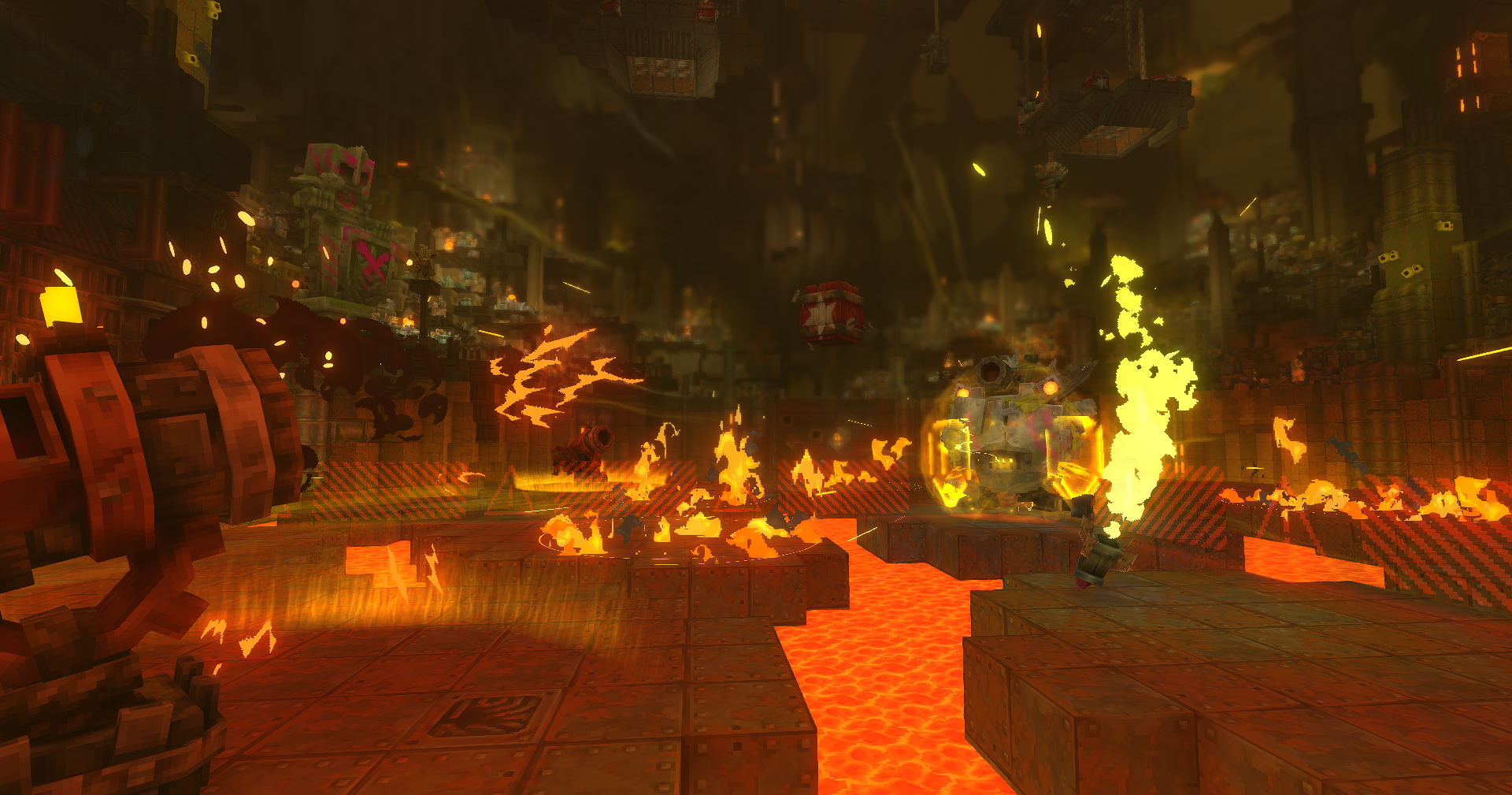
Oh! And if you really want a challenge, press that ominous-looking button to the left of the boss chamber entrance. Let it be known, we warned you!
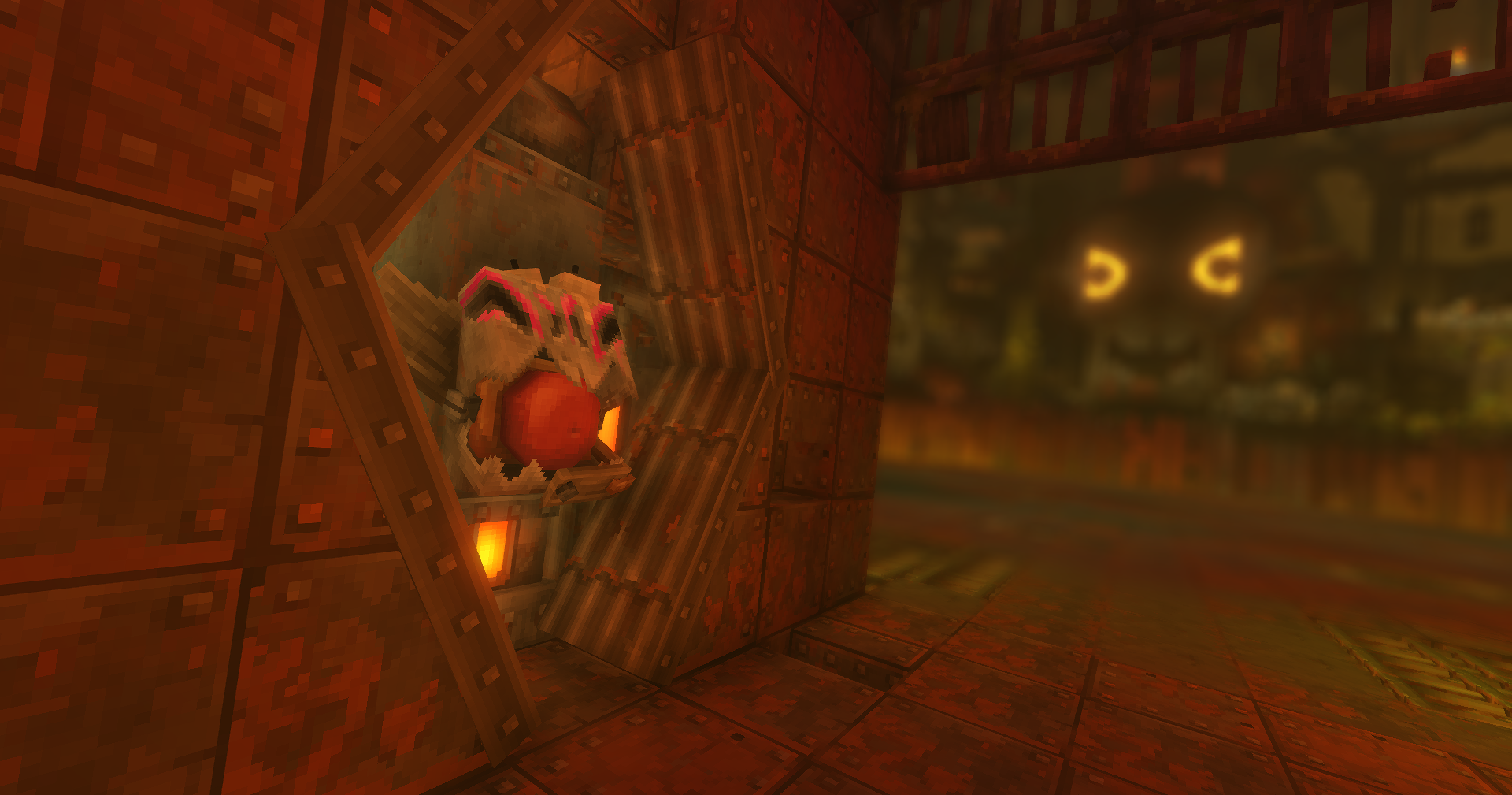
Minigames!
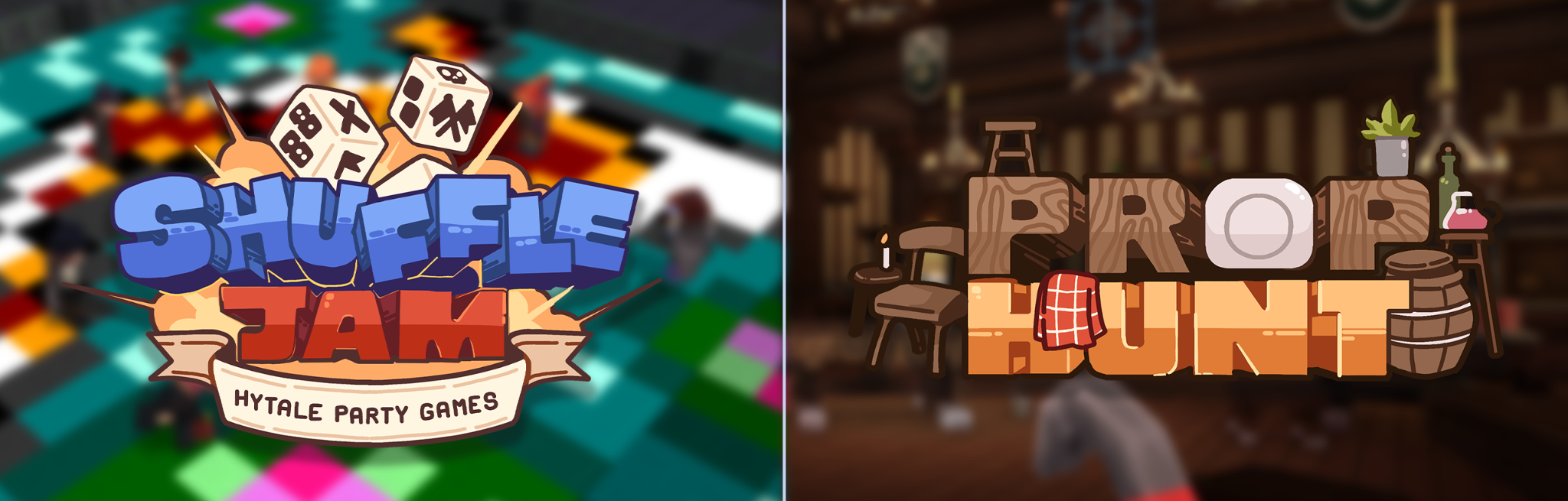
Need a break from the goblins? Minigames have arrived in Hytale! Select Minigames on the Main Menu to jump in. Queue up solo or bring your whole party along, and matchmaking will handle the rest.
We're launching with two games to start, and we'll be adding more as time goes on.
Prop Hunt
Hide in a crowded tavern, or hunt down the props hiding in it!
As a Prop, disguise yourself as random tavern objects like beds, tankards, and barrels, and do your best to blend in. Taunting charges up your escape ability, a smoke bomb paired with a dash, for when things get a little too close. Survive until the end of the match to win.
As a Hunter, track down the hidden Props and eliminate them. Every Prop you catch switches sides and joins the hunt. Find them all to win the match!
Shuffle Jam
A playlist of party-style microgames, shuffled every match. Earn stars in each round, and whoever has the most stars at the end takes the win!
There are 12 microgames at launch. You might be dodging falling blocks in TNT Run one moment and memorizing shapes on the Memory Floor the next.
All 12 Microgames
- Color Party: Step onto the dance floor and stand on the correct block to survive!
- Diving: Leap off a platform as a frog and claim blocks in the pond.
- High Ground: Stay inside the circle to earn points while knocking everyone else out.
- Lavablocks: Escape the rising lava by breaking blocks and positioning yourself wisely.
- Lazers: Fire deadly lasers at your enemies and rack up the most eliminations.
- Memory Floor: Memorize the shapes on the floor and stand on the correct one.
- Plot Painter: Paint blocks next to your color and claim the biggest share of the board.
- Racing: Shoot the right blocks to speed up and cover the most distance.
- Stash & Seek: Hide your relics and find everyone else's.
- Tile Flip: Claim tiles by running over them and grab power-ups along the way.
- TNT Run: Run and parkour across the map as the blocks fall into the void.
- TNT Tag: Tag other players to pass on the TNT before it explodes.
Note that Minigames will be available shortly after Chapter I launches.
What's Next for Minigames
Prop Hunt and Shuffle Jam are just the start. Alongside new games of our own, we're working on ways for you to make and play your own:
- Minigames in the Mod Browser. A new Minigames tab is coming to the Mod Browser, so you can download minigame experiences and play them locally or with friends in closed groups.
- A framework for creators. Down the line, we'll release a framework for building minigames that makes creating them easier and more convenient. Minigames built on it and shared with the community may be featured on our hosted Minigames page.
We can't wait to see what you all come up with!
Unlock Brand New Cosmetics!
There's been over 100 new cosmetic options added with this first Chapter! Express your Avatar with new hairstyles, mouths, eyes, earrings, hats, and lots more!
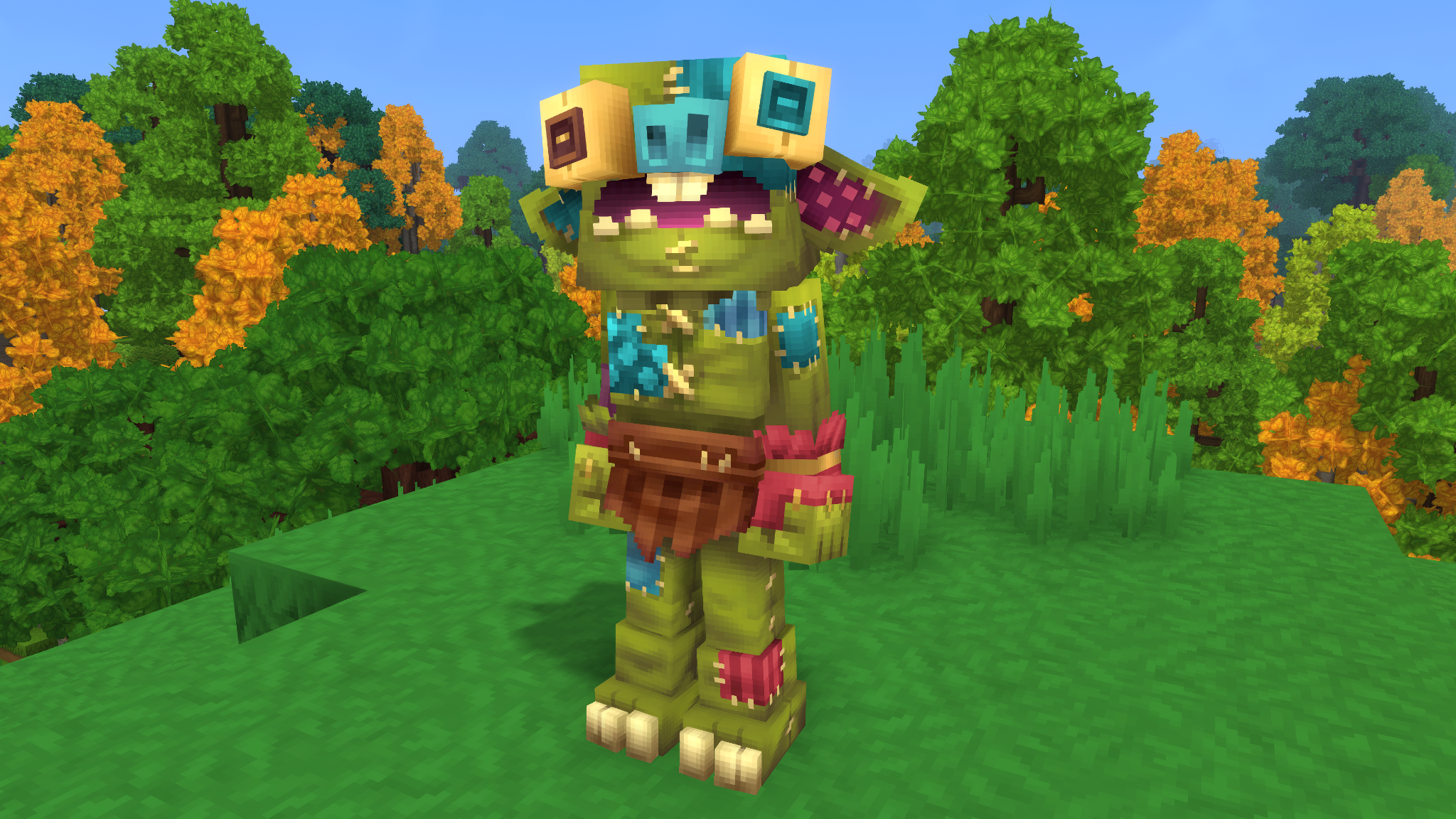 Become one with the Goblins!
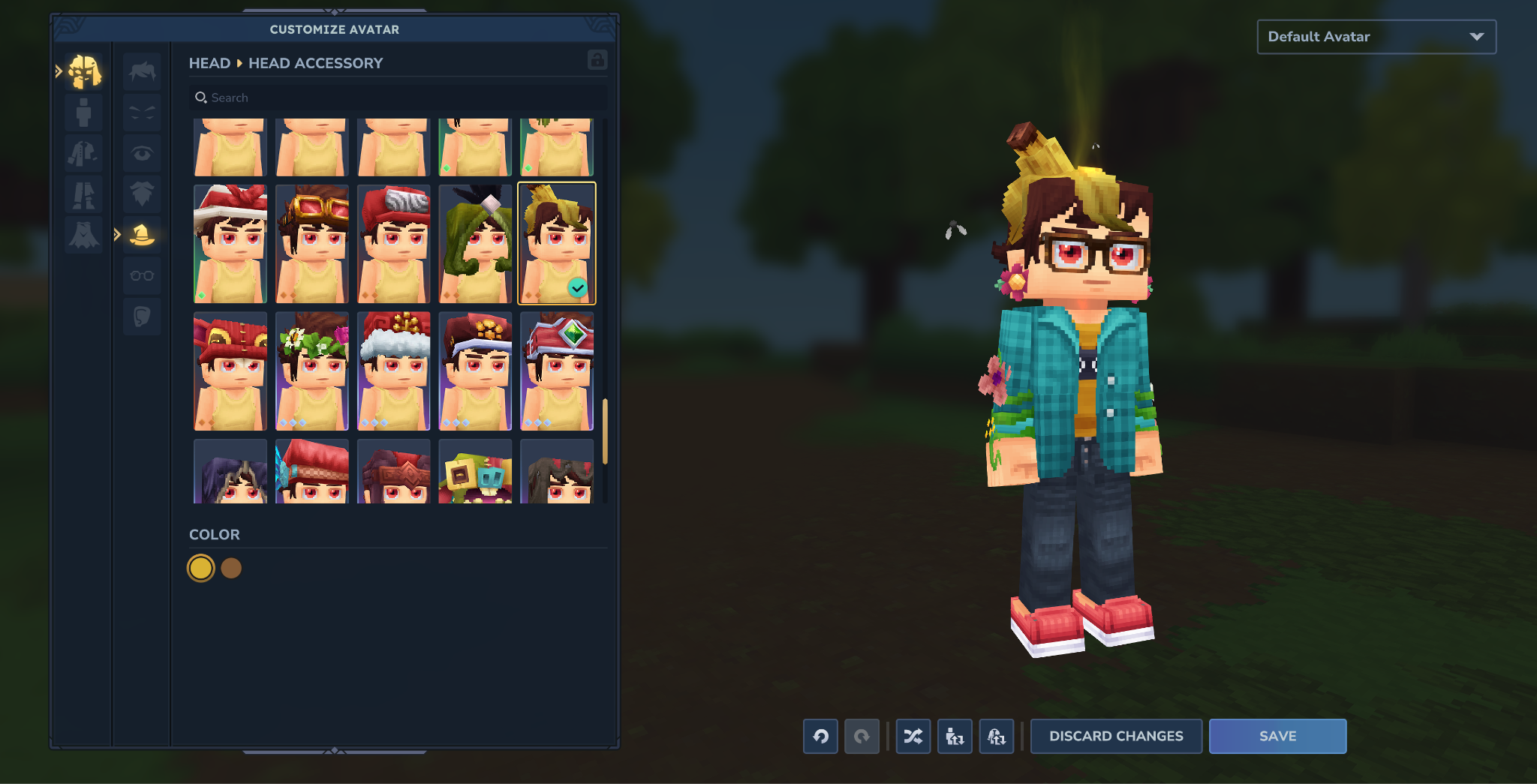 Create more personal space between you and your friends by sporting a beloved Goblin head ornament - stinky particle effects and all!
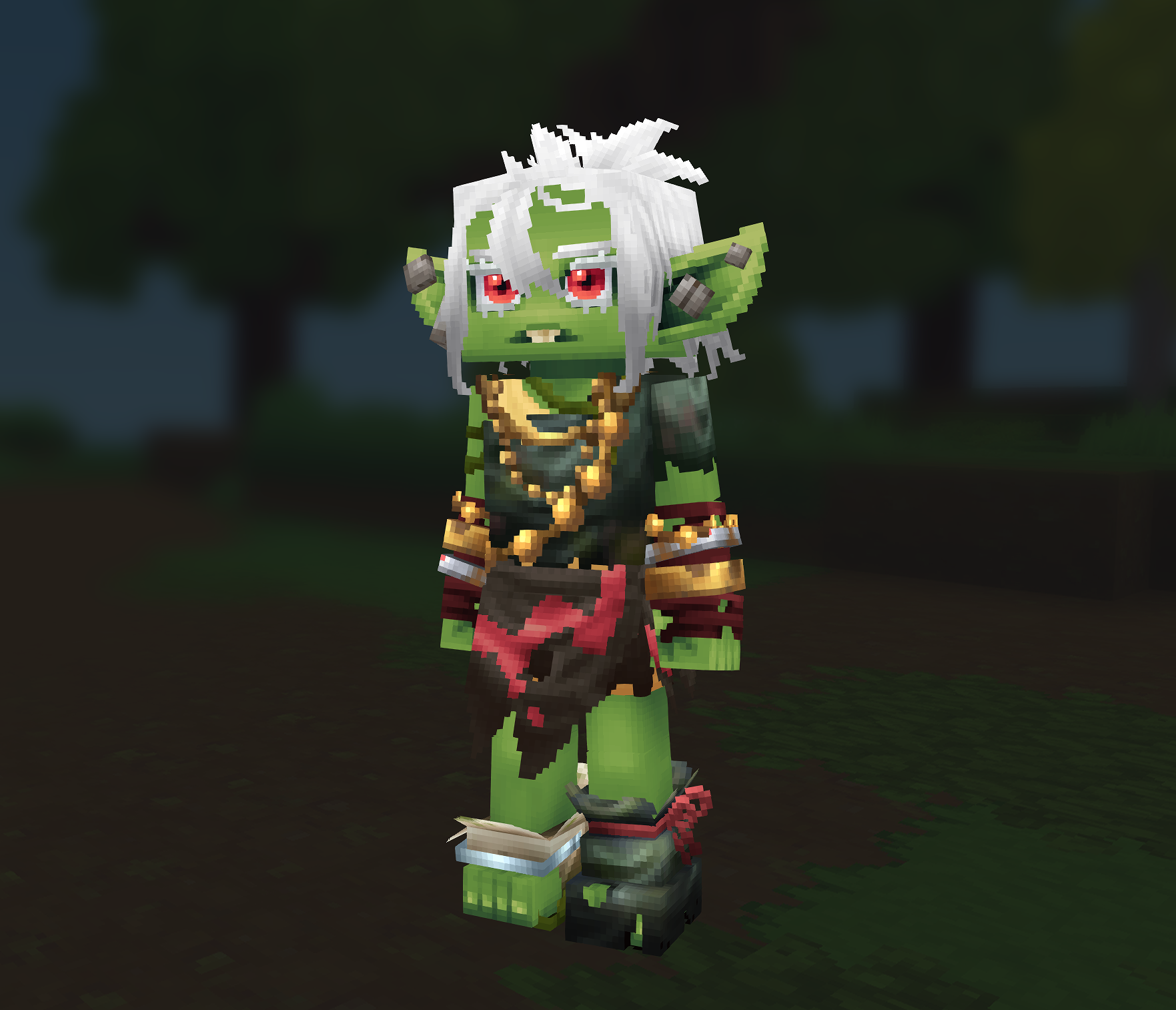 New eyelashes, make-up options, ear shapes, hairstyles, and more! Mix and match or refine your ultimate Goblin look!
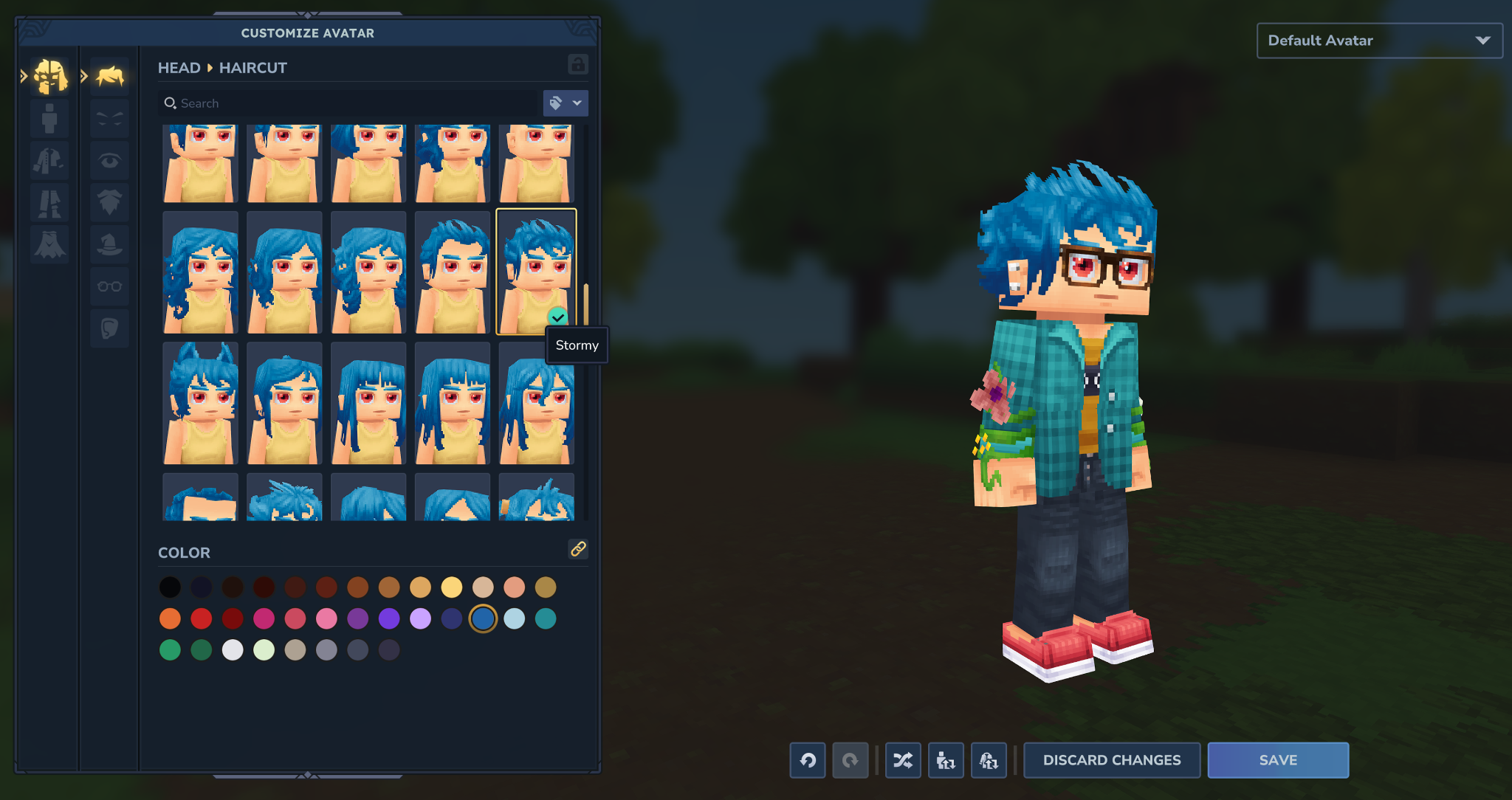 A gust of wind blew a few hairs from one of our hairstyles. Goblins collected these hairs from all over the world, and today we can say we've put the hairstyle back together.
Unlockable Cosmetics
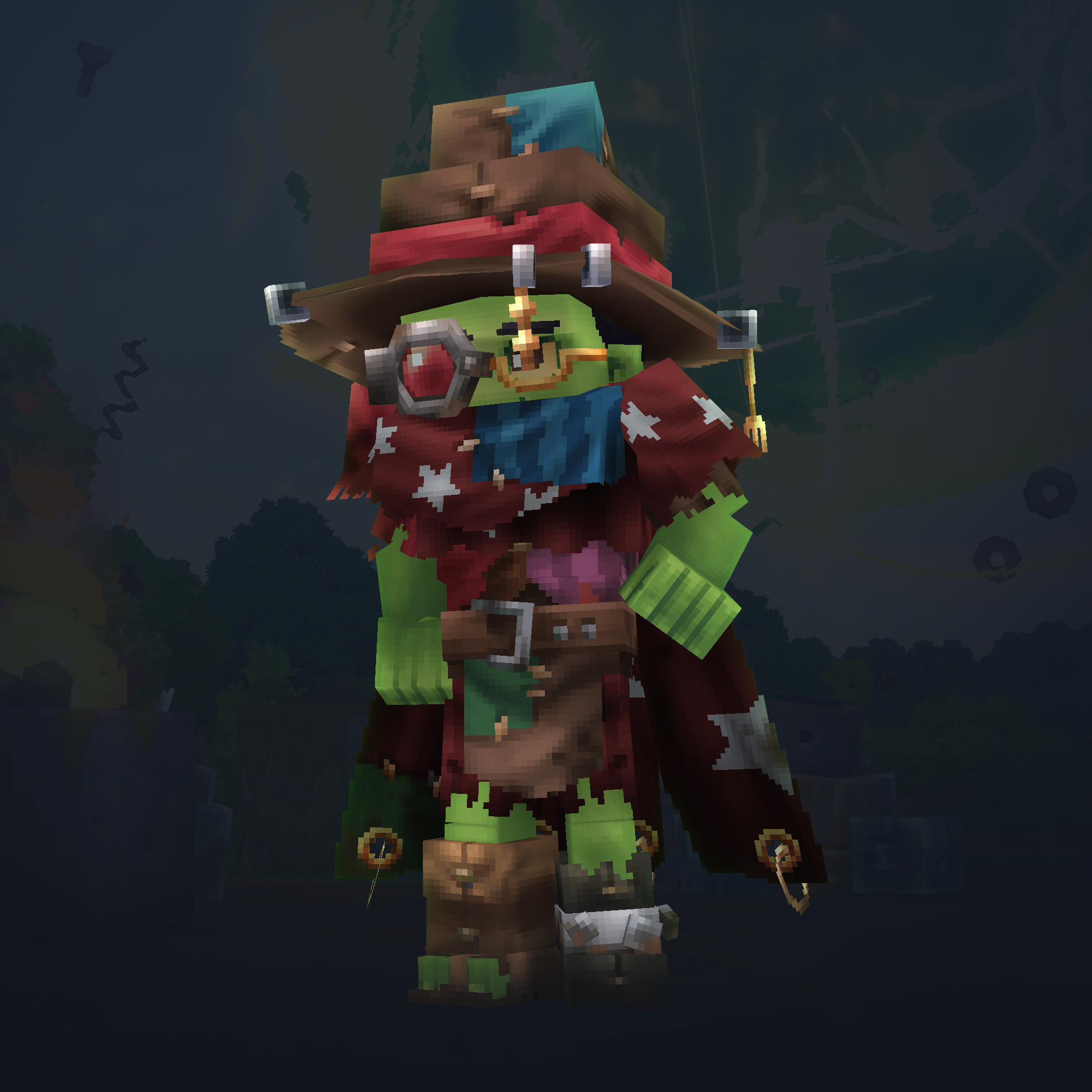
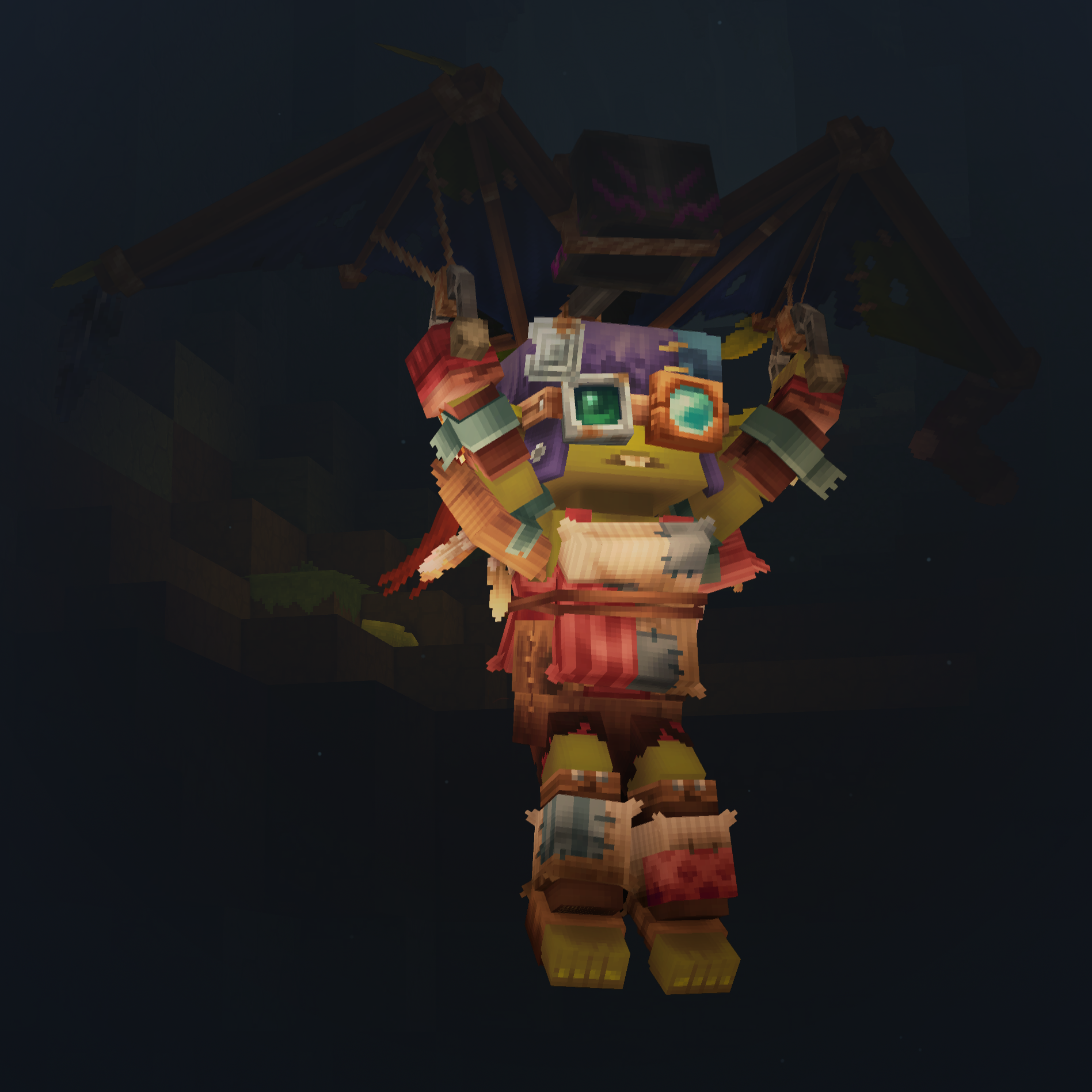
Still want more options? Unlock the Scrap Arcanist and Junk Pilot sets by progressing through Chapter I's gameplay!
Scrap Arcanist (unlocked through Chapter I progress)
Junk Pilot (unlocked through Chapter I progress)
Wait... There's More!?
That's right! There's still more to uncover in the Chapter I: Out of the Breach update. Surprises to encounter, lore to discover, and content to experience! Throwable barrels, new blocks, new music, etc.
Cursebreaker Edition Gets Extra Copy!
In case you didn't see the announcement on our social media, we are giving Cursebreaker Edition owners 1 extra Standard Edition copy to give away for every Hytale Early Access Chapter we release!
That means, if we release 6 Chapters before 1.0, Cursebreaker Edition owners will receive 6 extra Standard Edition copies!
Now go have fun and explore! We'll see you in Orbis!
Click here to download a .zip containing the Chapter I media featured in this blogpost
CHAPTER I: FULL CHANGELOG
Community Contributions
A huge thank you to Blovien, Fullavatar, NoctuaAstrum, Nullicorn, PrestonR88, and tssan1ty for the fixes, features, and polish they've brought to this update. Your community contributions make Hytale better for everyone!
Player-Facing Changes
Chapter 1 Content
- Added breaches that can occur within the Echo of Orbis. Breaches will begin occurring within the Echo of Orbis after a few nights have passed, or after an Avatar investigates the disturbance within the Forgotten Temple.
- Added 2 new minigames, one of which includes 12 new microgames!
- Added 2 new portal worlds to explore.
- Added over 100 new cosmetic options, some of which are unlocked through gameplay.
- Added over 20 new and reimagined NPCs to battle, including a boss fight!
- Added 7 new tools and gadgets.
- Added 15 new Runestones.
- Added many new Goblin-themed blocks.
- Added several new weapons themed after Chapter 1 encounters.
- Added support for 2 new languages: French and Spanish.
Minigames
- Minigames have been added to Hytale! They can be accessed by selecting ‘Minigames’ on the Main Menu. Note that Minigames will launch shortly after Chapter 1 launches.
Note that Minigames will be available shortly after Chapter 1 launches.
- Minigames use matchmaking and can be queued for solo, or as a group. In groups, only the party leader can put the party in a queue, but anyone leaving the party will cancel it and require re-queueing.
- Added the Prop Hunt minigame, where players take on either the role of Hunter or Prop.
- Props disguise themselves as objects and try to fit in with their surroundings, attempting to trick other players into thinking they’re not a player at all.
- Props gain points by narrowly avoiding being detected. They may also periodically taunt their opponents to unlock a Smoke Bomb ability with a dash to aid with escaping.
- Hunters have a simple role: to find and eliminate all Props. Destroying a Prop will cause that Prop to join the Hunters’ side.
- Added the Shuffle Jam minigame, where a random selection from 12 microgames is played out, with points being awarded after each microgame. The microgames consist of:
- Color Party - Step onto the dance floor and stand on the correct block to survive!
- Diving - Leap off a platform as a frog and claim blocks in the pond.
- High Ground - Stay inside the circle to earn points while knocking everyone else out.
- Lavablocks - Escape the rising lava by breaking blocks and positioning yourself wisely.
- Lazers - Fire deadly lasers as your enemies and rack up the most eliminations.
- Memory Floor - Memorize the shapes on the floor and stand on the correct one.
- Plot Painter - Paint blocks next to your color and claim the biggest share of the board.
- Racing - Shoot the right blocks to speed up and cover the most distance.
- Stash & Seek - Hide your relics and find everyone else’s.
- Tile Flip - Claim tiles by running over them and grab power-ups along the way.
- TNT Run - Run and parkour across the map as the blocks fall into the void.
- TNT Tag - Tag other players to pass on the TNT before it explodes.
Runestones & Abilities
Runestone Ability System
Introducing the Runestone Ability system! Craft Runestones and then place them within a Runebinder’s Lattice to modify your combat abilities. One such Runebinder’s Lattice can be found in the Forgotten Temple.
Runestones will either take the form of an Ability Runestone or a Modifier Runestone. Ability Runestones grant new abilities that come with their own cooldowns and mana costs. Modifier Runestones adjust the behavior, cooldowns, and costs of the Ability Runestone they’re matched with in the Runebinder’s Lattice.
Modifications to damage, Mana costs, and cooldowns provided by Modifier Runestones are multiplicative with one another.
Runestones can be crafted using Runestone Shards, which will be found throughout your adventure in Chapter 1. Ability Runestones cost 2 Runestone Shards to craft, and Modifier Runestones cost 1.
Added seven Ability Runestones, each described in more detail in their own section below:
- Chain Hook
- Charged Shot
- Enrage
- Fireball
- Ground Slam
- Imbue Poison
- Wind Strike
Added eight Modifier Runestones, each described in more detail in their own section below:
Colossal
Enduring
Quickening
Rebound
Rend
Splinter
Thrift
Wither
The Runebinder’s Lattice will prevent an Ability Runestone from being placed if that Ability Runestone is already active.
The Runebinder’s Lattice will prevent a Modifier Runestone from being applied to an Ability Runestone if that Modifier Runestone is already active for that ability.
Mana & Casting
Mana will now be displayed where the Stamina bar was previously.
Mana passively regenerates over time and is used for all abilities granted by Ability Runestones.
Signature abilities now restore Mana whenever they hit an enemy. Hitting several enemies at once restores more mana, with diminishing returns.
Casting an ability granted by an Ability Runestone briefly reduces movement speed by 40%.
Ability Runestone: Chain Hook
- Added the Chain Hook Ability Runestone. This Runestone grants the ability to launch a chain that draws all targets near the point of impact toward you, briefly slowing them.
- Chain Hook deals 3 Bludgeoning damage, costs 50 Mana, and has a cooldown of 6 seconds.
- Chain Hook can be modified with the Rebound, Rend, Splinter, Thrift, and Wither Runestones.
Ability Runestone: Charged Shot
- Added the Charged Shot Ability Runestone. This Runestone grants the ability to channel a bolt of frost that, when released, deals damage and slows the enemy depending on how long it was charged.
- Charged Shot slows the caster more for each stage they’ve channeled, and will automatically fire when fully charged.
- Charged Shot deals 12-58 Water damage, costs 35 Mana, and has a cooldown of 4 seconds.
- Charged Shot can be modified with the Rebound, Rend, Splinter, Thrift, and Wither Runestones.
Ability Runestone: Enrage
- Added the Enrage Ability Runestone. This Runestone grants the ability to channel primal rage, increasing the damage both dealt and received.
- Enraged characters deal 30% more Physical, Elemental, and Projectile damage, but also take 20% more damage from all sources.
- Enrage has a duration of 8 seconds, costs 45 Mana, and has a cooldown of 4 seconds.
- Enrage can be modified with the Enduring, Quickening, and Thrift Runestones.
Ability Runestone: Fireball
- Added the Fireball Ability Runestone. This Runestone grants the ability to launch a flaming ball that explodes on impact.
- Fireball deals 28 Fire damage, costs 30 Mana, and has a cooldown of 2 seconds.
- Fireball can be modified with the Colossal, Quickening, Rebound, Rend, Splinter, Thrift, and Wither Runestones.
Ability Runestone: Ground Slam
- Added the Ground Slam Ability Runestone. This Runestone grants the ability to strike the ground, causing an eruption of stone spikes that can launch foes airborne.
- Ground Slam deals 15-35 Earth damage, costs 40 Mana, and has a cooldown of 5 seconds.
- Ground Slam can be modified with the Colossal, Quickening, Rend, Thrift, and Wither Runestones.
Ability Runestone: Imbue Poison
- Added the Imbue Poison Ability Runestone. This Runestone grants the ability to imbue your weapon with poison.
- Attacks with weapons that are imbued with poison apply a stacking poison to enemies hit. These stacks last 6 seconds each, and up to 3 stacks can be applied at once. Each stack deals 2 Poison damage per second.
- Imbue Poison imbues the weapon for 8 seconds, costs 40 Mana, and has a cooldown of 4 seconds.
- Imbue Poison can be modified with the Enduring, Quickening, and Thrift Runestones.
- Poison is now treated as a subtype of Elemental damage.
- Antidotes now remove poison caused by the Imbue Poison Runestone, and grant a brief immunity to it.
Ability Runestone: Wind Strike
- Added the Wind Strike Ability Runestone. This Runestone grants the ability to empower your next three attacks, causing them to launch piercing arcs of wind.
- The buff provided by Wind Strike that empowers the next three attacks lasts for 8 seconds.
- Wind Strike deals 10 Wind damage, costs 30 Mana, and has a cooldown of 2 seconds.
- Wind Strike can be modified with the Colossal, Enduring, Quickening, Rend, Thrift, and Wither Runestones.
Modifier Runestone: Colossal
- Added the Colossal Modifier Runestone. This Runestone modifies Ability Runestones that affect an area, increasing the damage and size of the area, and slowing projectiles.
- Ability Runestones modified with Colossal deal 40% increased damage, cost 60% more Mana, have a 60% increased area of effect, have a 150% increased projectile size, and have a 50% reduced projectile speed.
Modifier Runestone: Enduring
- Added the Enduring Modifier Runestone. This Runestone modifies Ability Runes, causing their duration to be increased.
- Ability Runestones modified with Enduring cost 30% more Mana, have a 60% increased Cooldown, and last 50% longer.
Modifier Runestone: Quickening
- Added a new Quickening Modifier Runestone. This Runestone modifies Ability Runes, reducing their damage, but making them usable more often, and faster.
- Ability Runestones modified with Quickening deal 25% less damage, cost 20% less Mana, have a 30% reduced Cooldown, expire 20% faster, and move 40% faster.
Modifier Runestone: Rebound
- Added a new Rebound Modifier Runestone. This Runestone modifies Ability Runes, causing projectiles fired to bounce off of enemies.
- Projectiles have their damage reduced by 20% each time they rebound off an enemy.
- Ability Runestones modified with Rebound cost 25% more Mana, have a 30% increased Cooldown, rebound 2 additional times, and move 40% faster.
Modifier Runestone: Rend
- Added a new Rend Modifier Runestone. This Runestone modifies Ability Runestones, causing enemies to bleed for a duration, taking damage over time and receiving increased physical damage.
- Enemies affected by the Rend debuff take 2 Physical damage per second for 6 seconds, and receive 15% more Physical damage.
- Ability Runestones modified with Rend deal 20% less damage, cost 20% more Mana, and have a 25% increased Cooldown.
Modifier Runestone: Splinter
- Added the Splinter Modifier Runestone. This Runestone modifies Ability Runes, causing projectiles fired to be split into additional projectiles. These additional projectiles cannot splinter again.
- Projectiles have their damage reduced by 30% each time they splinter from an enemy.
- Splintered projectiles have 30% reduced projectile and area of effect size.
- Ability Runestones modified with Splinter cost 25% more Mana, have a 20% increased Cooldown, and splinter 2 additional times.
Modifier Runestone: Thrift
- Added a new Thrift Modifier Runestone. This Runestone modifies Ability Runes, causing them to cost less Mana, but also deal less damage.
- Ability Runestones modified with Thrift deal 20% less damage, and cost 25% less Mana.
Modifier Runestone: Wither
- Added a new Wither Modifier Runestone. This Runestone modifies Ability Runes, causing them to apply the Wither debuff. This debuff slows the afflicted enemy and causes them to deal less damage.
- The Wither debuff lasts for 2 seconds.
- Enemies affected by the Wither debuff deal 15% less Physical, Elemental, and Projectile damage, and have their movement speed reduced by 10%.
- Ability Runestones modified with Wither deal 30% less damage, cost 20% more Mana, and have a 30% increased Cooldown.
Combat & Movement
Food & Potions
Health potions now share a 15-second cooldown. Their descriptions have been updated.
Stamina potions now share a 30-second cooldown. Their descriptions have been updated.
Taking damage will no longer interrupt consuming food or potions.
Health, Stamina, and Energy Potions now stack up to 10.
Food now takes 2.5 seconds to consume (previously 2-3 seconds, depending on the type).
Bread, Popcorn, and Cheese now restore 5% Health (previously 15%).
Consuming raw fruit, vegetables, or crops will now grant a minor Health regeneration buff for 1 minute. Raw meat, fish, and eggs do not grant this buff.
Movement speed will now be reduced while consuming food or potions by 25% (previously 60%).
Buffs granted from consuming cooked food will now last 6 minutes. This affects Health regeneration, maximum Health, and maximum Stamina buffs that various cooked foods can grant.
Updated the animations when consuming various foods, from raw meats to cooked vegetables.
Weapons
- Iron Crossbow combo shot damage has been reduced from 27 to 13.
- Ancient Steel Crossbow standard shot damage has been reduced from 16 to 10.5, the combo shot damage has been reduced from 42 to 14, and the Signature Attack damage has been reduced from 123 to 82.
- Sword, dagger, mace, and battleaxe attacks are now roughly 15% faster.
- Sword hits will now cause less vertical knockback.
- Shields can no longer be raised to cause the animation of an attack to be interrupted and end early, after damage could have been dealt. They can still be used to interrupt the wind-up of an attack, before damage is dealt.
- Swapping hotbar slots will no longer allow attacks to be executed sooner than intended after performing a sword, dagger, mace or battleaxe attack.
- Dagger attacks now check line of sight like other weapons, so they can no longer damage enemies through walls.
Movement Speed during Attacks
- Attacking with a crossbow will now reduce movement speed during the attack by 50% (previously 0%).
- Attacking with a sword, mace, or battleaxe will now reduce movement speed during the attack by 25% (previously 0-40% depending on the attack).
- Attacking with daggers will now reduce movement speed during the attack by 15% (previously 0-50% depending on the attack).
Flinching, Blocking & Knockback
Non-Elite enemies you encounter in areas related to Chapter 1 will flinch when hurt, interrupting their attacks. If an enemy is made to flinch too many times in a short duration, they will temporarily become immune to further flinching.
It is no longer possible to block the damage being dealt by damage over time debuffs.
In areas where PvP is disabled, player attacks will no longer knock other players backwards.
In areas where spawn protection is in place, players will be unaffected by knockback.
Weapon & Tool Durability
- Breaking blocks using a tool in the utility slot will now correctly reduce that tool’s durability.
- Tools that use the per-block durability loss mode will now lose durability for each block.
- The durability of Crude, Bronze, Steel, and Frost weaponry has been increased from 80 to 120.
- The durability of Copper weaponry has been increased from 100 to 200.
- The durability of Iron weaponry has been increased from 120 to 250.
- The durability of Cobalt and Thorium weaponry has been increased from 150 to 350.
- The durability of Adamantite and Ancient Steel weaponry has been increased from 180 to 500.
- The durability of Crude pickaxes and hatchets has been increased from 150 to 200.
- The durability of Copper pickaxes and hatchets has been increased from 200 to 300.
- The durability of Iron pickaxes and hatchets has been increased from 250 to 500.
- The durability of Cobalt and Thorium pickaxes and hatchets has been increased from 325 to 700.
- The durability of Adamantite pickaxes and hatchets has been increased from 400 to 1000.
Movement & Collision
Mantling is now possible when standing atop a half-slab or horizontal beam.
Projectile impacts will no longer lose their visual and sound effect prematurely.
Adjustments to the horizontal movement speed from entity effects are now applied when in the air, swimming, climbing, or rolling.
Getting stuck inside blocks will no longer push players through thin walls. Players will instead be nudged back into open space, or held in place if no open space is found.
Smaller characters can no longer phase through ceilings by mantling.
Walking down stairs will no longer briefly place players into a falling state.
The Stamina warning will now appear when attempting to guard with a shield without having sufficient Stamina to do so.
Creatures
Goblins
- Several new Goblins can be encountered, and some existing Goblins have been exhibiting new behaviors.
- Goblins will now drop items more appropriate to what they are carrying.
- Goblin animations have been updated.
Void Creatures
Void creatures will no longer appear within the Echo of Orbis at night.
Void creatures have been rebalanced, given new looks and new attacks.
Void creatures are now hostile toward Goblins.
Spiders & Scaraks
- Inter-species relations have broken down and large predators will now attack spiders on sight.
- Scarak Seekers will now wait between 2-3 seconds between attacks (from 1-2 seconds).
- Scarak Seeker poisonous spit now travels half as fast, and deals 18 damage over 16 seconds (from 36 damage over 16 seconds).
General Creature Behavior
- NPCs will no longer treat the empty space in partially solid blocks, such as fences, as fully solid. They will now see and possibly attack through empty spaces.
- NPCs will no longer try to fire arrows through doors, fences and similar blocks that would potentially block projectiles.
- Rats have weakened, and their Health has lowered to 10 (from 15). They have also lost health bar privileges, so attacking them will no longer display one.
- Creatures standing in shallow water won’t be able to automatically walk into deeper water. This also fixes an issue where NPCs could become stuck when they are close to liquids.
- NPCs will now successfully find solid ground in worlds where the terrain sits outside of the old fixed height range.
- Entities that have been scaled in size will now have their hitbox scale with them again.
- Larger creatures will now spawn more reliably with spawn markers.
- Returned the Scarak Broodmother and the Young Scarak Broodmother to their natural spawning habitat.
Memories
- Fixed an issue where memories may not save at the end of a session.
- Fixed a rare issue where the memory for encountering a Moose could display ... unrelated ... information.
- Some creatures must now be defeated in combat before you gain their Memories.
Items
Goblin Gadgets
- Added the Hookshot, a tool that can be used to hook onto Hook Anchors to traverse the world in style.
- Added the Scrap Drill, a mining tool that can break multiple blocks at once and can also break and loot metal blocks.
- Added the Spyglass, which zooms in on whatever’s happening in the distance.
- Added the Scrap Glider, a tool that allows you to descend back to the ground in style.
- Added the Rocket Boots, a set of stylish footwear that provides double jumps.
- Added the Goblin Repair Kit, used to repair items without lowering their maximum durability.
- Added the Bangstick, a stick that goes bang when thrown.
Watering Can
- The offensive capabilities of the Watering Can have been removed.
- Watering cans and battleaxes will now be held correctly when taken for a swim.
Workbenches
- Upgraded workbenches have voted unanimously to keep their new look, rather than reverting to their old appearance whenever someone uses them.
- Crafting animations on upgraded workbenches will now also loop correctly.
Other Items
- Windwillow Fruits have had their particles reworked.
- The Root Wand and Stoneskin Wand now fire beams from the correct position.
- Whatever’s happening at the Forgotten Temple has made it too difficult to sleep there right now, so the bed can no longer be interacted with.
- Oak Log Stairs will now be treated like wood, rather than stone.
Portal Worlds
Portal Worlds
The portal panel within portal worlds has been redesigned! The countdown, portal names, and progress bar all have a new look.
Portals may now be given a per-player entry limit. These will be displayed in the Ancient Gateway UI.
When time runs out within a portal world, a message will now be displayed informing those within it that the time is up and they’ll be returned to the Echo of Orbis.
Other worlds that you access through Portal Devices will now adhere to the world settings selected when the original world was created, such as those related to fall damage and PvP.
Spikes will no longer generate around the Dragonspire Weald portal, as they could prevent the portal’s inhabitants from spawning reliably.
The Hedera’s Lair portal will no longer end in a void breach.
Commands
/portalmay now be used instead of/fragment.The
/leavecommand has now been replaced with/portal leave.
World & Blocks
New Blocks
- Added an Enkindled Copper blockset.
- Added an Enkindled Iron blockset.
- Added a Goblin Iron blockset.
- Added a set of Goblin decorations.
- The Gold block set has been updated with new models and a texture polish.
- Lost Civilization, Kweebec, Tavern, and Wind Temple windows now use transparent glass.
- Village windows are no longer empty frames and now have tinted glass.
- Bottles and flasks on the Alchemy Bench now use transparent glass.
- Mushroom blocks and large metal pipes have had their shading updated.
Foliage & Shears
- Foliage such as bushes, vines, leaves, or seaweed can no longer be broken with weapons.
- Breaking player-placed foliage now drops the same things it would in the wild, such as sticks and berries, rather than the plant itself. Use shears if you want the plant back. As a reminder, shears can be crafted at the Farmer’s Workbench.
- Shears may now be used to gather fallen leaf piles.
World Events
- Added the ability to toggle World Events on or off in the custom world settings. Creative Worlds have them disabled by default.
- World events may be toggled on and off with the command
/worldevent.
Worlds & Instances
- Server rule changes now affect players immediately, so health bars, combat text, armor hiding and the rules for placing or breaking blocks all update without needing to leave and rejoin the server.
- When a world shuts down and the prior world is unloaded, that world will now be loaded correctly, rather than sending players to a fallback world.
- Traveling between worlds will no longer cause terrain colors or lighting to bleed between them.
- Attempting to return to a world that has been deleted will now return players to the new world’s spawn point, rather than somewhere unsafe.
- Attempting to return to a world after closing Hytale within an instance will now return players to the correct world.
Cubic Worlds & Chunk Loading
- Creatures, dropped items, chests, and workbenches will now appear, and can be interacted with straight away, in cubic world areas that load close to you.
- Interactable blocks placed very far above or below the normal world height will now function correctly.
- Warps placed very far above or below the normal world height will no longer cause warp markers to go missing.
Entities that use Block Models
- Entities with block models saved in Update 5 worlds now keep the correct position and scale when the world is upgraded. This will not repair entities that were already upgraded with the wrong position and scale.
- Rotating a block selection with the builder tools now rotates entities with block models correctly for multi-axis rotations.
- Particle effects and trails will now appear in the correct positions on entities with block models.
Naming & Categorization
- ‘Web Rope’ is now called ‘Spiderweb Rope’.
- ‘Spider Web - Diagonal’ is now called ‘Spiderweb Rope - Diagonal’.
- ‘Large Kenolite Stalactite’ is now called ‘Kenolite Stalactite - Large’.
Other World & Blocks Changes
Fixed an issue where blocks could fail to update when an adjacent block was placed or broken.
Fixed an issue where unloading an area could cause blocks to forget that they updated after an adjacent block was placed or broken.
Breaking a rotated multi-block will now update surrounding blocks correctly, possibly causing supported blocks to fall, or fluids to flow.
Picking up blocks will no longer trigger the interaction that would occur if the block was broken.
Fixed an issue where teleporters very high up or very low down might not function properly.
Fixed the interaction hints appearing on blocks in worlds where placing, breaking or gathering is disabled.
Flat Volcanic Cobble Roof blocks are now flatter, to match other flat blocks.
Half slabs made of wood are no longer considered to be stone in crafting recipes.
Coconuts have shrunk in size, baffling botanists.
*Non-opaque blocks placed above crops will no longer prevent the crops from growing in cubic worlds.
Trigger blocks will now fire every time a creature moves over them, instead of just once.
Ash Swamp Trees are now more structurally sound and less likely to explode into pieces.
Avatar & Customization
- Added over 100 new cosmetic options, many of which are Goblin-themed.
- Updated the models and textures for numerous cosmetics, including the Colored Khaki Pants, Stylish Shorts, Maxi Skirt, Desert Skirt, and ear variations.
- The Alpine Explorer’s Jumper, Double Button Jacket, Farmer’s Vest, Paint Splatter Shirt, and Smart Shirt will no longer have a color cast upon them.
- The emblem on the Alpine Explorer’s Jumper is now blue instead of red.
- Eye patches and medical eye patches can now be worn over either eye.
- Blindfolds will now cover eyebrows.
- Mouth covers will now cover beards.
Creative Tools
Node Editor
- The Node Editor now opens to display a start screen, where you can pick what to create or jump straight back into a recent file.
- The Node Editor now reopens on the workspace type you used last.
- Files dropped onto the Node Editor will now open directly, on Windows and macOS.
- The Node Editor now has a light theme and a dark theme. Select the one you prefer by going to File > Preferences.
- Added a graph minimap, toggled from the View menu. It frames your current viewport, highlights your selection, and clicking anywhere on it jumps you to that part of the graph.
- Dragging nodes now snaps them into line with their neighbors and to a grid, with guide lines showing what they are lining up against. Multi-node selections keep their internal alignments as they’re dragged.
- The `ManualCurve` and `FunctionForY` nodes now have an interactive curve graph. Right-click the plot to add a point, press Delete or Backspace to remove one, and points can cross each other or move outside of the visible range without the plot locking up. Panning and zooming the canvas no longer interferes with editing.
- Curve values snap to whole numbers as they’re dragged. Hold Alt for a fractional value.
- Material fields now use a searchable asset picker, with a texture thumbnail rendered for each material in the picker itself.
- Added a Trig Density node to the WorldGen workspace.
- Added an option to keep undoing for as long as Ctrl+Z is held down. This is switched off by default.
- The Node Editor now provides a clearer error message when it cannot read a file.
- Brown and Bright Red are now available as node colors.
- Opening and closing a large graph will no longer cause the editor to freeze, and files load in the background so the editor remains responsive.
- Fixed a number of crashes and inconsistent states when switching between workspace types.
- Fixed a memory leak where every graph opened stayed in memory for the rest of the session.
- Fixed a node type the editor does not recognize losing information when a graph was saved.
- Copying and pasting nodes no longer loses the connections between them.
- Shift-clicking to select nodes now works reliably.
- Fixed a number of visual issues related to group titles.
- Fixed a number of startup and stability problems.
- The Asset Node Editor in Creative Tools now opens on Linux.
Builder Tools
- Builder tools will now be deactivated when leaving a world.
- The map now refreshes across the whole area when you paste a prefab or a clipboard with the builder tools, instead of only the chunk under your cursor. Undoing and redoing an edit refreshes the map for the area it changes as well.
- Builder tools now work at any height in cubic worlds.
- The height limit has been removed when copying a selection.
- Edits that are too large for a creative tool to perform in one action will no longer attempt the edit and will now notify the editor what size would fit.
- Attempting to save a prefab wider than the creative tools can hold will now fail instead of saving only part of the prefab.
- Undoing and redoing will now result in a message saying how many steps were undone or redone.
- Fixed table flipping. Flipping a selection of blocks that includes furniture will no longer cause issues such as invisible hitboxes being left behind.
- Fixed counts that read wrong when only one block, chunk, or step was involved.
- Fixed a rendering crash that could occur when using certain builder tools.
Trigger Volumes
- Trigger volumes can now set your respawn point, move a world's spawn, or clear your respawn points.
- A Tag Condition on a trigger volume can now compare one tag against another tag instead of only against a fixed value.
- The Show Event Title trigger volume effect now has a Style option in place of the old "Is Major" toggle, so you pick the look of the title directly. Its field labels also show correctly again.
- Added an Activate Trigger Volumes toggle to the creative mode quick settings. With it switched off, you can walk through your own trigger volumes without setting them off.
- Trigger volumes set to apply to the source of projectiles will now correctly do so, rather than considering the projectile as its own source.
- Play Sound settings on Trigger Volumes now show proper Volume and Pitch labels rather than raw text ids.
- Sounds played by Trigger Volumes will no longer play far louder than intended.
- Trigger volume timers will now be affected by the speed of time within the world. This means commands such as /time pause or /time dilation will be respected by trigger volume timers.
- Timed Trigger Volume events will no longer sneakily count down in paused singleplayer worlds, only to all fire at once when the game is unpaused.
Machinima Editor
- Fixed an issue with the Machinima editor where having new scenes with almost identical names to existing ones could cause the new scenes to be dropped.
- Cleaned up memory left behind by the Machinima editor's camera view.
- Fixed a crash that could occur when returning to the main menu with a machinima scene loaded.
Additional Creative Changes
Instance editing now lets you break, gather and place blocks, even when the instance itself does not normally allow it.
The `/kit iron` and `/kit adamantite` commands now include food and health potions matching their tier. Neither grants longswords, one-handed axes, clubs, spears, or staves.
Audio
Music
- Added 6 new exploration tracks to Zone 2.
- Added 12 new exploration tracks to Zone 3.
- Added 24 new exploration tracks to Zone 4.
- Caves and sewers in Zone 4 will now play their own music, rather than overworld music tracks.
- Music transitions will no longer run longer than intended when a fade has a delay in front of it.
- Looping music and ambience fades will no longer stall just before the loop point.
Sound Effects & Mixing
- Ambient world sounds now always stop the moment you leave a world, instead of looping over the main menu for a few seconds in some rare cases.
- Added an impact sound for when a block is struck with a tool too weak to break it.
- Reduced the volume of distant sounds that were louder than intended.
- Adjusted some sounds so that their volume will be altered correctly based on the audio settings.
- The sound that plays when the Signature Ability is charged has been updated, and brought down in volume.
- Ancient Platform Traps now play a sound as they break.
- Sounds that are attached to creatures or projectiles will now play smoothly if you move alongside them.
- Hitting and breaking metallic ore is now quieter.
UI & Quality of Life
Combat HUD
- Swords, daggers, battleaxes, spears, maces, shields, shortbows, crossbows, and the Hookshot now show a small dot as a crosshair instead of a ring.
- Dealing a killing blow will now flash a red X around the crosshair.
- Lowered the position of the Stamina bar.
- Raised the position of the crossbow ammo indicator.
- The red outline that can appear around the Stamina bar when Stamina is low will now have the correct shape.
- Items on cooldown now dim and display an overlay that drains as the cooldown runs out.
- Enemy health bars will no longer be displayed through walls, terrain, or floors.
- Distant enemies will now have smaller health bars.
- Health bars for enemies that are 25 blocks away will begin to fade, and completely vanish at 33 blocks away (previously they would vanish at 50 blocks).
- Damage numbers that a distant enemy takes will no longer all be displayed at once when the enemy gets closer.
Creative Inventory
- The search feature in the Creative Inventory has been reworked to better detect intent. It will also now allow for “one-step” typos (so ‘swrd’ and ‘swodr’ will both return a ‘sword’), and will also return results even if diacritical marks aren’t used (for example if an item contains ‘é’, just typing ‘e’ will work).
Debug Overlay
- The debug overlay that appears when F7 is pressed twice has been rebuilt. Panels may be individually moved, resized, or hidden, and custom layouts can be created to switch between them.
Friends & Social
- Fixed an issue that prevented the friends list and invitations from appearing correctly if a slow connection was experienced at startup.
- Fixed an issue that prevented the social sidebar from opening when social features were switched on partway through a session.
- Fixed an issue that caused default avatar portraits to be displayed in large friend lists.
- Fixed an issue that caused correct avatar portraits to fall back to the default portrait.
- The notifications menu will now open a lot faster for those with many pending friend requests.
- The background for player portraits in the Social Sidebar has been set back to blue.
Main Menu
- Added one-time fullscreen announcements that can appear on the Main Menu.
- Added a button to the bottom-right corner of the Main Menu that can be used to view the fullscreen announcements or notifications once again. It will also indicate if there are notifications that haven’t yet been read.
- Your Avatar on the Main Menu can now be found in new locations.
- A reminder that Hytale is still in early access has been added to the home screen.
Mods & Mod Browser
- Mods can now contain whole worlds, which appear in your world list once installed, and any world you make from one remains even if the mod is removed.
- Creating a world from a mod now asks for permission to do so first.
- Mod categories in the mod browser now show readable names on the cards, the filters and the detail page.
- Installing a mod from the mod browser will now work as intended, even if you’ve already manually placed the mod contents in the corresponding folder.
- The Mod Browser will now skip over oversized or broken images, instead of trying to render them.
World Map & Compass
- Reworked the world map to load in small pieces instead of one huge image, so it uses a fraction of the memory it used to and no longer stutters while it is open.
- The world map will no longer permanently freeze at high view distances on graphics cards with a smaller texture limit.
- Fixed a memory leak that could occur after a world map had been drawn.
- Opening the world map will no longer cause the world to temporarily stall.
- Buttons at the bottom of the map screen will no longer contain overlapping button hints.
- Map markers may now gently pulse or tint to alert you when they first appear.
- Map markers that are trying to alert you, but aren’t in the direction you’re facing, may now appear at the edge of the compass, instead of being hidden.
Other UI & Quality of Life
- Menus that are being opened for the first time should now have the correct button highlighted when using a controller.
- Added a copy button next to the report ID you get after sending a bug report, so you can grab the ID in one click.
- Images of worlds within the world list will now only display the freshest of screenshots rather than older versions of the world.
- Items with no icon configured will now display a mysterious ‘Unknown Item’ icon.
- The HUD will no longer continue displaying ability and interaction hints from previous servers.
- The ‘Return to Crossroads’ button that appears in Creative Worlds has been moved.
- Tall item tooltips will no longer extend off the top of the screen.
- Fixed a number of typographical errors.
Graphics & Rendering
Beams
Fixed blocks and items briefly showing the wrong texture after a rope or beam effect, such as the Hookshot rope, was drawn.
Fixed some ropes and beams used by tools and abilities failing to load and showing as missing.
Fixed ropes and beams drifting away from the projectile they’re attached to.
Improved the help text for the `/beam` command.
Weather
- It’s the rainy season. More rain will drop when it rains heavily.
- Raindrops will now face the correct way.
- Rain that can occur in graveyards and swamps will no longer be eerily silent.
Other Rendering
- Transparent parts of the HUD will no longer render unintentionally darker.
- Visual effects with a set duration in singleplayer worlds will now pause that duration when the world is paused.
- NPCs with textures that are too large, causing an overflow, will now render as black rather than invisible.
- NPCs will now cast shadows correctly once again.
- Fixed an issue where held items that had their appearance changed would instantly re-apply movement animations.
- Fixed an issue where missing or wrong textures could occur on worlds with a lot of custom content due to the texture atlas being full.
- Softened the sun shadows very slightly.
- Sunshafts will no longer vanish when the time of day is changed.
- Dense grass will no longer display unrelated block textures.
- Fixed the textures for Dense grass, Kenolite stalactites, and inverted corner stairs.
- The back panel of the Ancient Bookshelf will no longer flicker.
- Shallow and steep metal roofs will no longer flicker.
- Transparent parts of item models will no longer vanish when the item is held or dropped.
- Semi-transparent blocks will no longer go missing entirely if occlusion culling is not running.
- Ambient occlusion will now work again on creatures and other entities.
- Fullbright blocks will no longer pick up ambient occlusion shading they weren’t meant to receive.
Controls & Input
- When rebinding a keybind, it now shows which keys and controller buttons can be held down as part of a combo binding.
- The Home and End keys will now function within some additional menus and textboxes.
- If a button is pressed when an overlay such as the Xbox Game Bar opens, the button will no longer be considered permanently pressed down.
- The mouse pointer will no longer be able to unintentionally slip outside of the game window after a menu has been opened or closed.
- The camera will no longer snap back incorrectly when in first person on macOS when streaming the game through a remote desktop app such as Parsec.
Localization
- French and Spanish have now been added to the list of available languages!
- Hytale will no longer fall back to English when your system language includes a regional variant, such as French (Canada).
- Longer words in other languages no longer cause rendering issues for the ‘Installed Mods’ button in the Mod Browser.
- After an awkward dinner party, we’ve concluded there is a difference between fishbones and salt, and we’ve updated ingredient names accordingly.
- Fixed wording, punctuation, and quoting across a range of in-game messages, and filled in text that was missing.
- Item names and descriptions will no longer contain ‘Goblin’ in lowercase.
- Every cause of death now comes with its own complete message, instead of displaying a message stitched together from separate pieces.
- Numbers in Noesis-based UI now follow the formatting settings of the selected language.
- Fixed a number of typographical errors found throughout Hytale.
Performance
- Deduplicated the block lookups behind entity collision, which run for every moving player and creature on the server.
- Improved block breaking on the server, which no longer stops to load chunks while it works out what you broke.
- Improved server performance while ticking blocks, fluids and farmland, so busy areas cost the world less work each tick.
- Saved worlds now take up less disk space than before. Existing worlds will upgrade themselves the first time they load.
- Improved how servers compress world data as it’s saved, which lowers memory use on busy servers.
- Fixed a freeze that could occur when someone joined a brand new world.
- Creatures that are far away from players will scan their surroundings for opponents less often.
- Teleports and respawns will no longer be delayed while the server is generating terrain elsewhere.
- Blocks, fluids, and creatures far above or below players will now pause until a player approaches.
- Fixed a long stall that could occur when joining a world.
Multiplayer & Networking
Online Play & Connections
- The Online Play screen now says in plain words whether your friends will be able to join, and what to do if they cannot.
- Added a Copy Network Report button to the Online Play screen. It copies a short diagnostic report with no addresses in it, so you can paste it when you ask for help.
- Multiplayer sessions now prefer a direct route where one exists, instead of alternatives that would increase ping.
- Fixed automatic port forwarding failing to find the router when other devices on the home network answered first.
- Joining a friend’s world on the same home network now connects straight to them, so you can join much faster.
- Fixed an issue where some data sent by Hytale could be lost if too much data was sent at once.
- Fixed an issue where having multiple devices access Hytale on the same network could result in disconnections occurring when a world was joined.
- Fixed an issue that prevented rejoining friends' worlds after being disconnected, which previously required both players to restart the game to resolve.
- Fixed a crash that could occur with an incorrect or oversized invite code.
- Fixed a temporary freeze that could occur for up to two seconds when leaving or canceling a peer-to-peer session.
- Fixed a retried join failing to use a router that another connection attempt had already found.
Stability
- Fixed a crash that could occur when leaving a world or moving between servers, along with the small memory leak that came with it.
- Fixed a crash that could occur when broken or malicious network data nested messages, command trees, item categories or interaction chains far too deep.
- Fixed a crash that could occur when you joined a world running several large custom skins at once, since textures that no longer fit are now skipped with a warning instead.
- Fixed a crash that could occur when a server refreshed your interface, which also left item and character previews in menus broken.
- Fixed a crash that could occur when dropping a stack of zero items.
- Fixed a crash that could occur when serializing forked interactions.
- Fixed a crash that could occur when dropping an item with no icon onto the entity tool.
- Fixed a crash that could occur on older NVIDIA graphics cards, covering the GeForce 400 to 700 series and their laptop versions.
- Fixed a memory and graphics leak every time you closed a menu that shows your character, so long sessions of opening and closing menus no longer eat memory.
- Fixed several memory and graphics leaks during play, when switching worlds and when closing the game, so a long session no longer creeps up in memory use.
- Fixed a fault where a single player's connection could break networking for everyone else on the server.
- Fixed switching a shared world back to private sometimes leaving the world reachable for several more seconds.
- Fixed the world list failing to load when one of your saves had a broken settings file.
- Fixed a brief server stutter that could occur when a teleport block removed itself after a delay in an area that had already been unloaded.
- Servers now close connections cleanly when they shut down, so you no longer sit and wait for the connection to time out.
- Servers and worlds will no longer refuse to start if the saved view distance is higher than Hytale allows. This value is now capped at 32 chunks.
- Fixed a crash that could occur when a server sent a fluid update before some blocks had finished loading.
- Fixed a server error that would occur when a player left the server at the same moment they confirmed respawning.
- Fixed a server error that would occur when an objective was started with tasks that required the spawning of creatures.
- Fixed sign-in failing on macOS when Hytale was launched from Finder, Spotlight, or Apple Games.
- Fixed a crash that could occur on Windows when antivirus software interrupted a world being saved.
- Fixed a client memory leak that could occur when joining a world.
- Fixed a random crash that could happen on the main menu or inventory screens when playing on a computer with integrated Intel graphics.
- Fixed a crash that could occur when a chunk unloaded while its animated blocks were updating.
- Fixed a crash that could occur when an item, block, or ability was used and the client did not recognize the interaction.
- Fixed an issue where a freshly started server could freeze when several players joined at the same moment.
- Fixed a crash that could occur when block or fluid information was being loaded while joining a world.
- Fixed an issue where Hytale would freeze on some laptops with integrated graphics if the player was shown to be holding an item.
- Fixed an issue where certain cosmetic selections could prevent connecting to a server.